



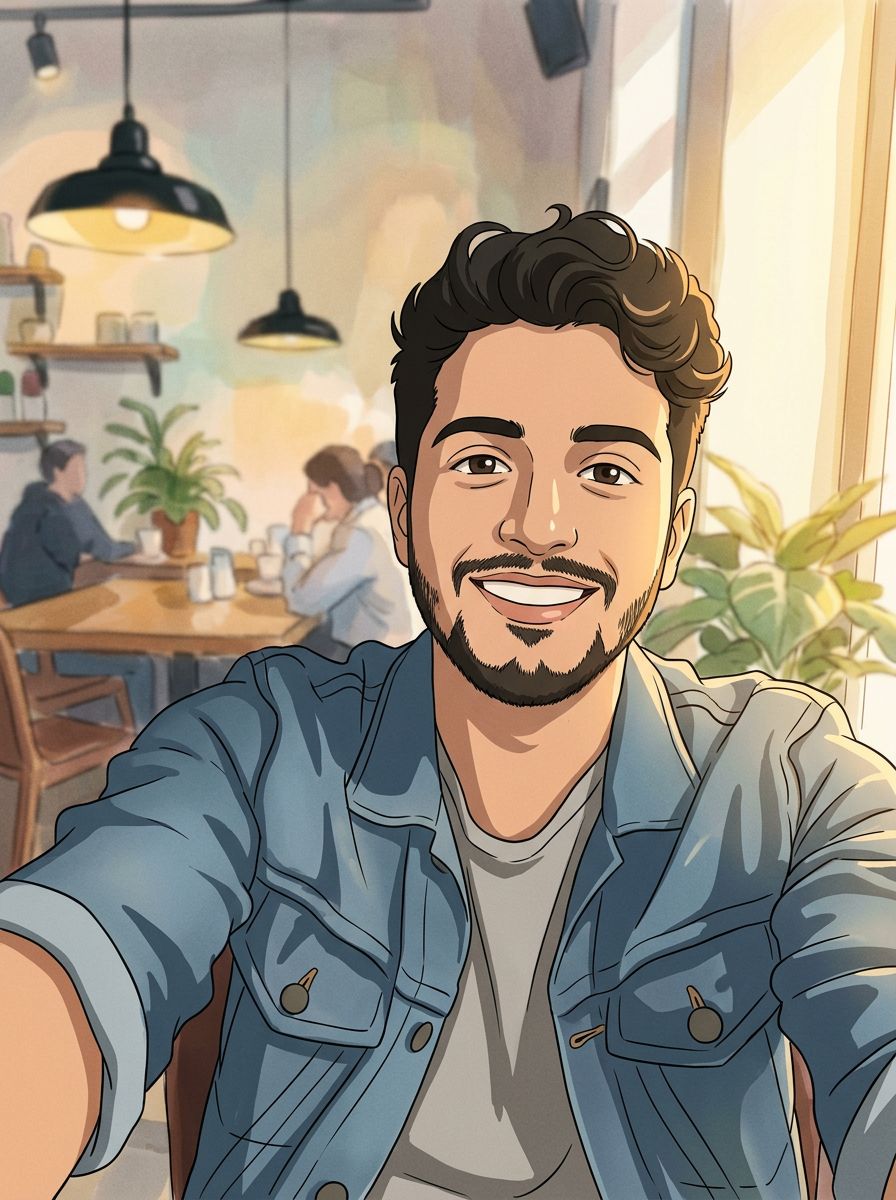
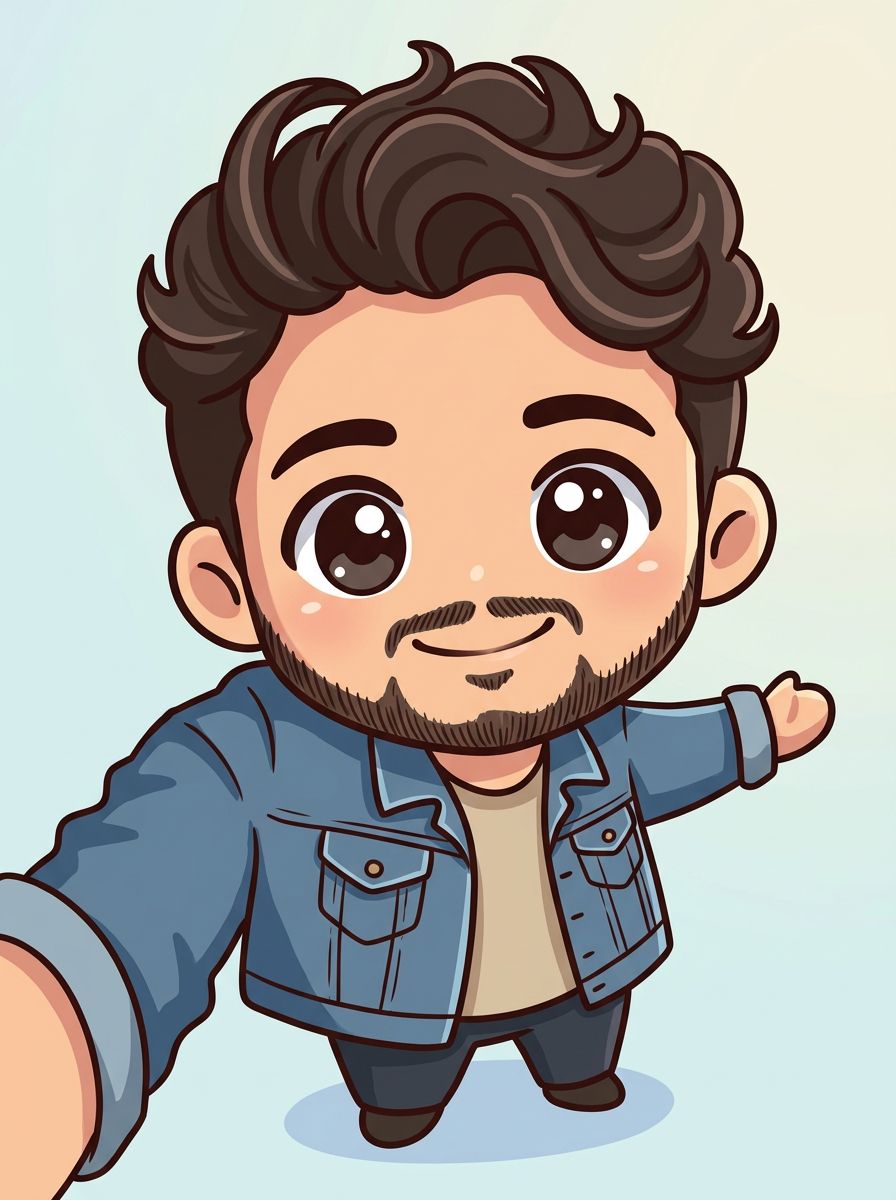
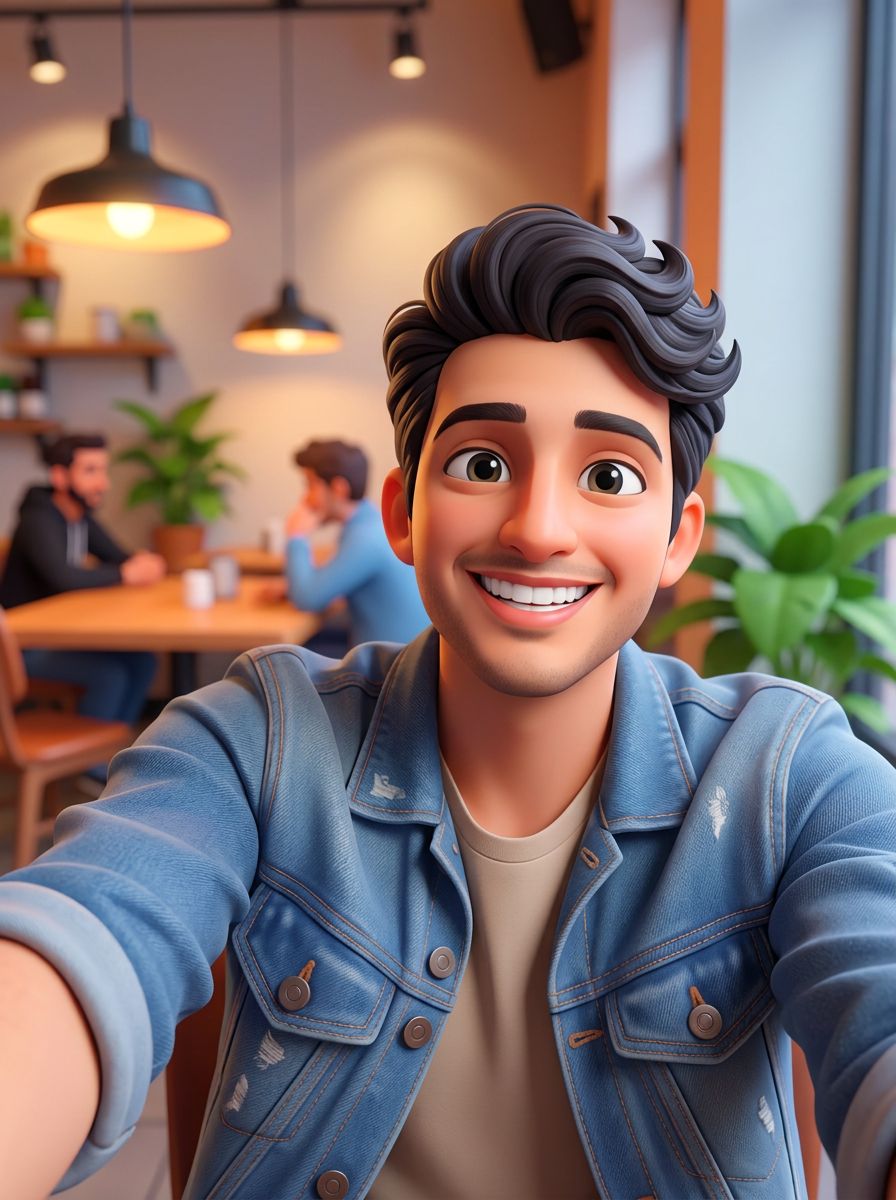
Anime filter · Ghibli-inspired · Chibi · 6 models
Photo to Anime
Upload a photo and turn it into anime. Pick a look, from a hand-painted animation film still to a black-and-white manga panel or a tiny chibi, and the AI redraws your picture in that style while keeping the people, pose and scene.
01 · Real results
Photo to Anime examples
Made on this page with the presets below on Nano Banana 2, unedited. The input photos are AI-generated people, not real ones.
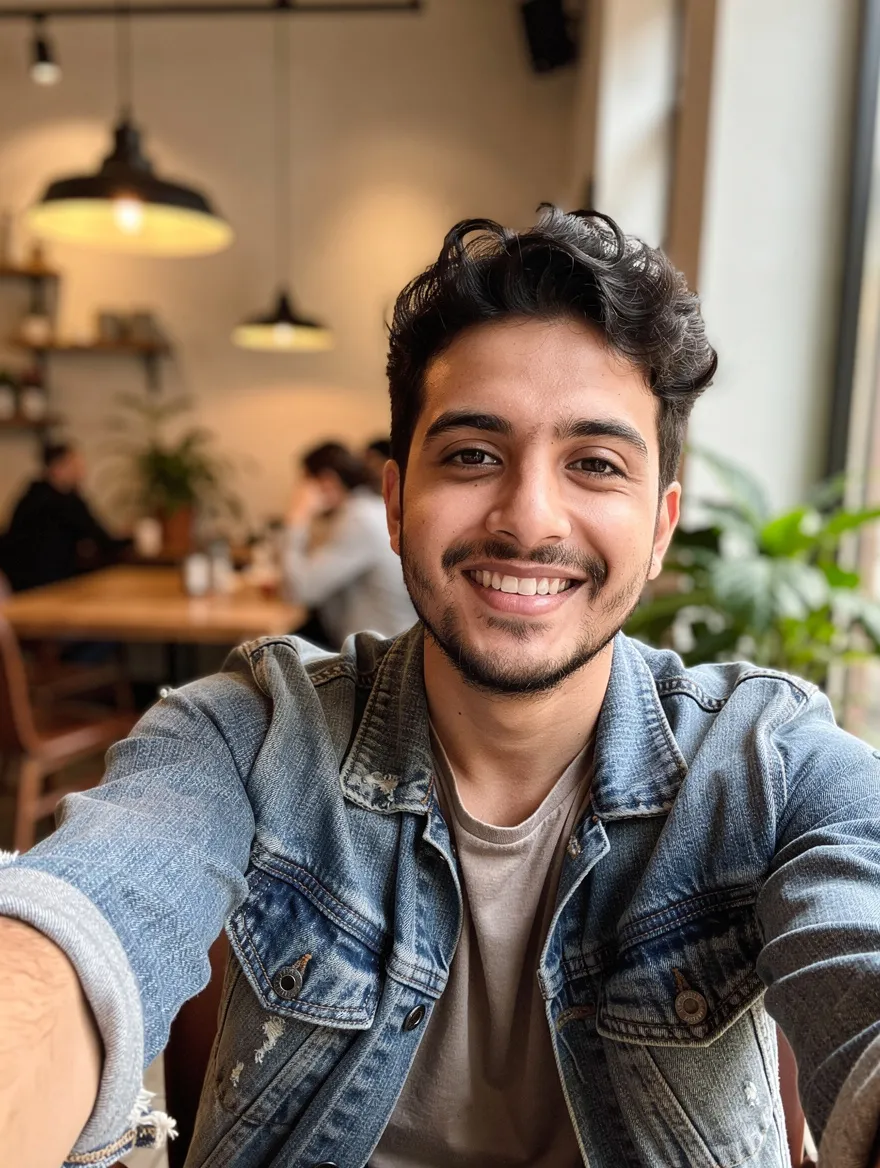
Anime film still · Nano Banana 2 · drag the handle to compare
Redraw this photo as a hand-painted Japanese animation film still: soft watercolor background, warm natural light, clean line art and gentle cel shading. Keep the same people, faces, pose, clothes and composition.
02 · What you can do
Anime filter styles: from film still to chibi
Each style is a one-tap preset under the prompt above. Tap one, tweak the details, and run it on your photo.
Hand-painted animation film look
The Ghibli-inspired style people ask for: painted skies, soft greens, warm light and gentle faces. Your scene and the people in it stay recognisable.
Modern anime portrait
Sharp lines, bright colors and expressive eyes, like a frame from a current series. A good pick for profile pictures and avatars.
Black-and-white manga panel
Ink lines, screentones and speed lines turn a snapshot into a page from a manga. Add a speech bubble in the prompt if you want one.
Chibi anime character
A big-headed, tiny-bodied chibi of you, your partner or your pet, with the same hair and outfit. Great for stickers and chat avatars.
Photo to cartoon
Not every look has to be anime. Turn a picture into a 3D family-film cartoon with soft light and rounded features.
Comic strip from one photo
Get a short four-panel story with the same character in every frame. GPT Image and Nano Banana Pro handle panels and lettering best.
Your pet as an anime character
Dogs and cats keep their markings and breed, and gain big shiny eyes and a painted world around them.
Turn places into anime backgrounds
A street, a garden or a holiday view becomes the kind of painted background you see behind anime characters.
03 · How to
How to turn a photo into anime
4 steps, all on this page.
- 1
Upload your photo
Drop a JPG or PNG of up to 10 MB into the generator above. Clear, well-lit photos with visible faces give the best anime portraits.
- 2
Pick an anime style
Tap a preset like Anime film still, Manga panel or Chibi style, or describe your own look. Say what to keep: faces, outfit, pose.
- 3
Choose a model and shape
Nano Banana 2 is loaded by default. Keep "Match input" to keep your photo’s proportions, or pick square for an avatar.
- 4
Generate and download
Press Generate. Your anime picture appears beside the form with a Download button and is saved to your history, so you can try another style on it.
04 · Why AI
An AI anime generator that starts from your photo
Faster than drawing it
Commissioning an anime portrait takes days, and drawing one yourself takes skill. Here you get a styled picture in seconds and can try ten looks before choosing one.
More than one filter
Most anime filter apps apply one fixed look. Here you describe the style, so the same photo can become a film still, a manga page, a chibi or a cartoon.
Your people stay yours
Older photo to cartoon filters swapped in a generic face. These models redraw the picture while keeping hair, outfit, pose and expression, so friends still recognise themselves.
05 · Models
The AI models behind the photo to anime
Switch models from the picker at the top of the generator. The price is per image and shows on the Generate button.
| Model | Best for | Credits from |
|---|---|---|
| Nano Banana 2default | Faithful restyles that keep faces and pose | 6 |
| Nano Banana 2 Lite | Fast, cheap drafts to compare styles | 1 |
| GPT Image | Detailed style directions and comic layouts | 6 |
| Nano Banana Pro | Rich detail, speech bubbles and text, up to 4K | 30 |
| Seedream 4.5 | Group photos and several people at once | 8 |
| Flux 2 Max | Painterly, detailed backgrounds | 15 |
06 · Who it’s for
Turn pictures into anime for
Profile pictures
An anime avatar for Discord, X, Instagram or a gaming profile.
Couples and friends
A group photo redrawn as a scene from an animated film.
Gifts
Anime portraits of family or pets for prints, mugs and cards.
Stickers and emotes
Chibi versions of yourself for chat stickers.
Comics and stories
Turn real reference photos into manga panels and comic strips.
Travel memories
Holiday views repainted as anime backgrounds.
07 · Prompting
Prompt tips for better results
Name the style, name the mood and say what to keep. "Make it anime" works, but a specific look gets a better picture.
| Vague | Prompt that works |
|---|---|
| Make me anime | Redraw me as a modern anime character with crisp line art and cel shading. Keep my glasses, short black hair and blue hoodie. |
| Ghibli style | Repaint this as a hand-painted animation film still with a watercolor sky, warm afternoon light and soft greens. Keep both of us and the bench. |
| Cartoon this | Turn this into a black-and-white manga panel with screentone shading and speed lines, same pose and expression. |
| Cute version | Make a chibi of the person with a big head, tiny body and round eyes, same pink hair and school uniform, plain white background. |
08 · FAQ
Photo to Anime FAQ
What is a photo to anime converter?
A tool that redraws a photo in an anime style. You upload a picture, choose or describe the look, and an AI image model repaints it as anime art while keeping the people, pose and scene from your photo.
Is the Photo to Anime free?
New accounts get 5 free credits, and Nano Banana 2 Lite runs from 1 credit per image, so you can try it without paying. After that it runs on credits; the button shows the price before you run, and a failed run costs nothing.
Can it make Ghibli style pictures?
It can make pictures in a hand-painted Japanese animation film style: painted skies, soft color and warm light. This page is not affiliated with or endorsed by Studio Ghibli, and the results are new images, not frames from any film.
Will the anime version still look like me?
It keeps your hair, outfit, pose and expression, and usually enough of your features that friends recognise you. Anime styles simplify faces, so expect a likeness, not a copy. Saying "keep my face and hairstyle" helps.
Which model is best for anime?
Start with Nano Banana 2 for faithful restyles. Use GPT Image or Nano Banana Pro for comic strips and speech bubbles, Seedream 4.5 for big group photos, and Nano Banana 2 Lite to test several styles cheaply.
Can I turn a group photo or a pet into anime?
Yes. Group photos, couples and pets all work. For several people, name how many there are and ask to keep everyone ("keep all four people"), so nobody is dropped.
Can I make an anime character without a photo?
Yes. Switch to the Text to Image tab and describe the character, or use the AI character generator, which is built for creating original characters from a description.
What isn’t allowed?
Sexual or revealing images are blocked, and so are anime edits of minors in anything but wholesome scenes. Only upload photos you have the right to use, and ask before turning someone else’s photo into art.
09 · More tools
More AI tools
Turn your photo into anime
One photo, one style. Try the film still or the chibi preset and see yourself redrawn in seconds.
Open the photo to anime tool