



Bring Old Photos
to Life
One old photo.
A moment that moves again.
Upload a scan of an old family photo and AI animates it for 8 seconds: the people breathe, blink, smile and turn a little, in the photo’s own frame, tone and grain, with a quiet piano underneath.
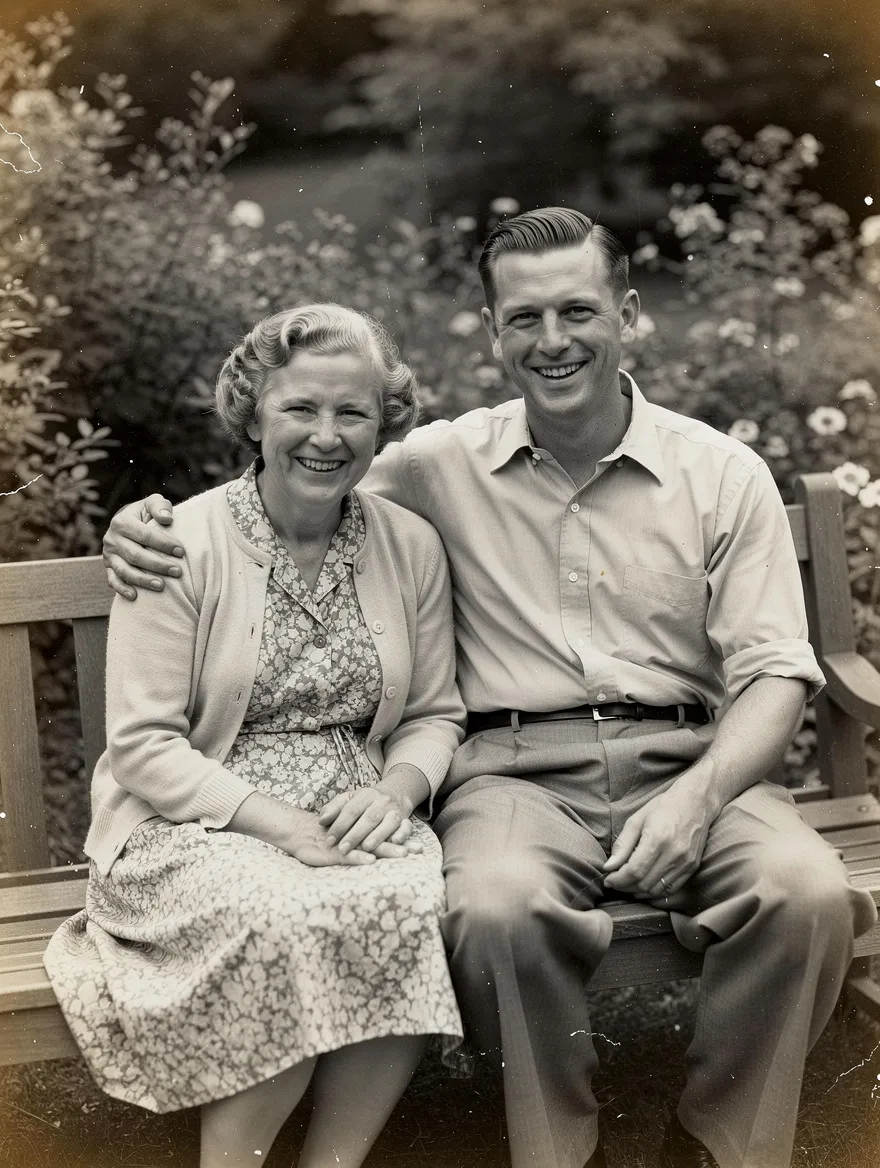 MADE FROM THIS PHOTO
Animate your old photo
One photo, one click. The motion is gentle on purpose.
Drop a photo or click
JPG or PNG · scans and phone photos of prints work
✓Scans or phone photos of prints
✓Faces clearly visible
✓Black and white, sepia or colour
✓Crop off album borders first
✕Heavy glare or reflections on the print
✕Photos of strangers or public figures
Credits are only charged when your video is delivered. Sound included.
Your clip lands here
8s · vertical 9:16 · with sound
The 8-second script
Three beats, kept small.
Old photos look best when they barely move. Every clip follows the same gentle script: the people breathe and blink, smile and turn a little, then settle back into the pose of the photograph. The frame, the tone and the grain stay those of the original.
- 0–3sBreatheThe people in the photo breathe and blink.
- 3–6sSmileA warm smile, a small turn of the head, a breeze.
- 6–8sSettleA nod or a little wave, then back to the pose.
How to bring an old photo to life
4 steps, no editing.
- 01
Upload the photo
Scan the print or photograph it flat in daylight, without glare. One or a few people in frame works best.
- 02
Pick a shape and resolution
Choose the shape closest to your photo: vertical, landscape or square. 480p is quick and cheap for a first try; 720p looks sharper.
- 03
Generate
Seedance 2.0 animates the 8-second clip: breathing, blinking, a smile and a small turn, keeping the photo’s look. It takes a few minutes.
- 04
Download and share
You get an MP4 with soft music, ready to send to the family or post on a birthday or anniversary.
Old photo animation prompts
Prefer another app? Copy the prompt for your tool. Or skip the setup: the generator above already runs the full 8-second version.
Any image-to-video
Kling 3.0, Seedance 2.0, Veo or Wan with a start frame
SETUPUse the old photo as the start frame. Start-frame mode keeps the exact picture, which suits very damaged or very small photos.
The people in this old photograph gently come to life: they breathe, blink naturally, smile softly and turn their heads slightly, hair moving in a light breeze, then settle back into the original pose. Locked-off camera, keep the original composition, black-and-white tone and film grain. Subtle, natural motion only.
FAQ
How do I bring an old photo to life?+
Upload a scan or a phone photo of the print above, pick a shape and 480p or 720p, then press Generate. Seedance 2.0 animates the people in the photo for 8 seconds with soft music. Download the MP4 when it’s ready.
Does it work with black and white photos?+
Yes. The clip keeps the photo’s black-and-white or sepia tone and its grain. To animate it in colour, colourize it first with the photo colorizer.
Will the faces still look like my family?+
The model keeps the faces from the photo, and the motion is kept small so they stay recognisable. Very small or blurred faces can drift; restoring the photo first helps.
How much does it cost?+
40 credits at 480p and 88 at 720p for the 8-second clip. You are only charged once your video is delivered; if generation fails, no credits are used.
What AI model does this use?+
ByteDance’s Seedance 2.0, which reads your photo as a reference and generates the music with the video.
Can I animate a photo of someone who has passed away?+
That is what many people use it for. Make sure the family is comfortable with it before you share the clip.
How long does it take?+
Usually two to five minutes. If you reload or come back to this page within 30 minutes, it picks the render back up.
Some photos deserve one more moment.
More trends: Photo colorizer · AI hug · all video effects