



Qwen Image Edit — Online AI Image Editor With Real Camera Control
Edit, restyle and re-shoot any photo from a text prompt — no design skills, no watermark. Qwen Image Edit is the open-source image-editing model that lets you change what's in a picture and the angle it was shot from, while keeping faces, products and scenes perfectly consistent.
⭐ 4.9/5 from 40,000+ creators · Open-source · Trusted by indie designers, e-commerce sellers, and ComfyUI power users worldwide
examples

what is qwen image edit?
Qwen Image Edit is the open-source image-editing model that edits any photo from a plain-language prompt — no design skills required. The feature everyone is searching for is its camera-angle control: take a single flat photo and re-render it from a completely new viewpoint while the subject's identity, lighting and detail stay locked.
Beyond angles, it keeps faces consistent across a whole series, fuses multiple photos into one coherent shot, restores and colorizes old prints, swaps styles, and even rewrites text baked into an image — all while preserving the parts you want untouched.
what you can do
Re-shoot any photo with 3D camera control
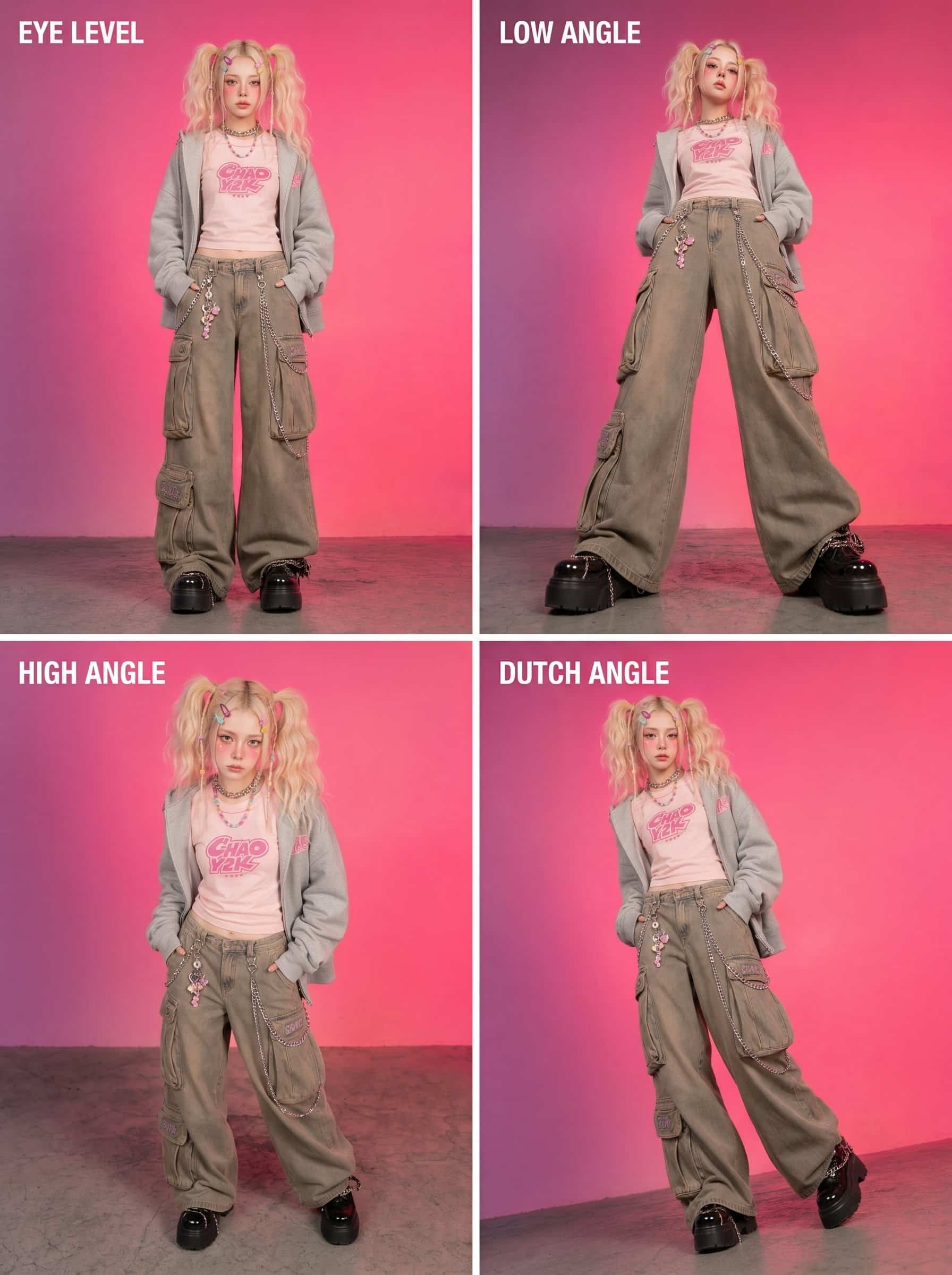
Take a single flat photo and re-render it from a completely new viewpoint — rotate around your subject, drop to a dramatic low angle, lift to a bird's-eye shot, or push in for a close-up. The subject's identity, lighting and detail stay locked while only the angle changes, which makes it ideal for product turntables, character sheets, and reshooting a scene you can't physically shoot again.

Keep every face consistent with Qwen Image Edit
Place a person in a new outfit, a new setting, or a new pose, and the model preserves their face and defining features instead of inventing a stranger. Build a whole series of images of the same character — different scenes, same person — without the identity drift that plagues older editors.

Merge people and photos with multi-image editing
Feed it two separate portraits and it can fuse them into a single coherent group photo — matching lighting, scale and perspective so the result looks like one shot, not a cut-and-paste collage. The same multi-image strength powers compositing: drop a product onto a new backdrop or blend elements from several photos.

Restore, restyle and replace
Restore and colorize faded old photographs, convert a daytime shot to convincing night, transform a real photo into pixel art or anime and back, swap an object's color, or remove an unwanted element while the background fills in cleanly. You describe the outcome and Qwen Image Edit does the masking, blending and relighting.

Edit text inside images without re-designing
Rewrite, translate or restyle words baked into a picture — a sign, a label, a poster headline — while matching the original font feel and keeping the layout intact. For marketers localizing creative or sellers fixing a typo on packaging, that's a same-second fix instead of rebuilding the asset.

real-world use cases
E-commerce & product sellers
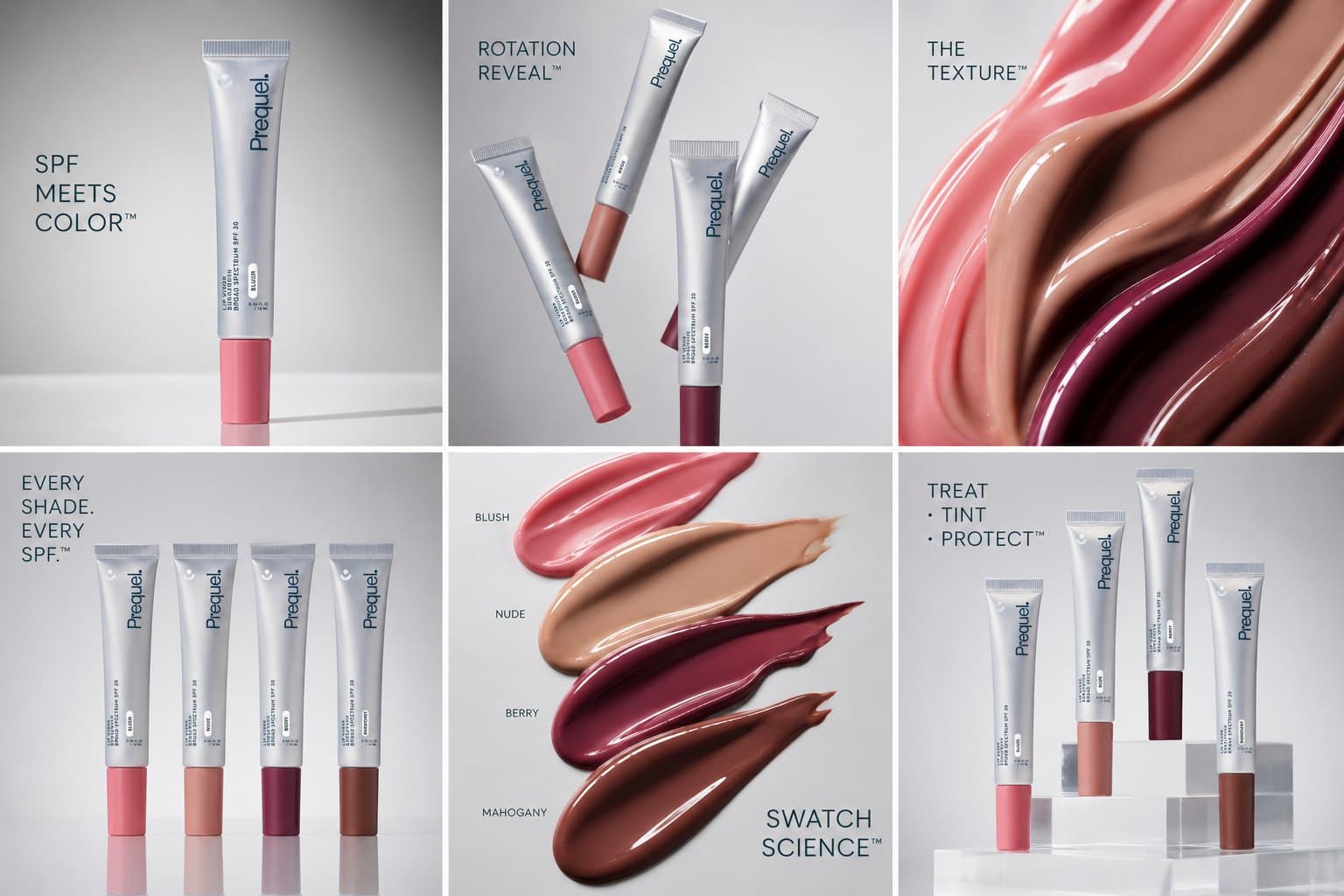
Shoot a product once, then generate clean white-background versions and multiple camera angles — front, three-quarter, top-down — from the same photo. Consistent angles and backgrounds lift click-through and reduce return-inducing surprises.
Social media & content creators
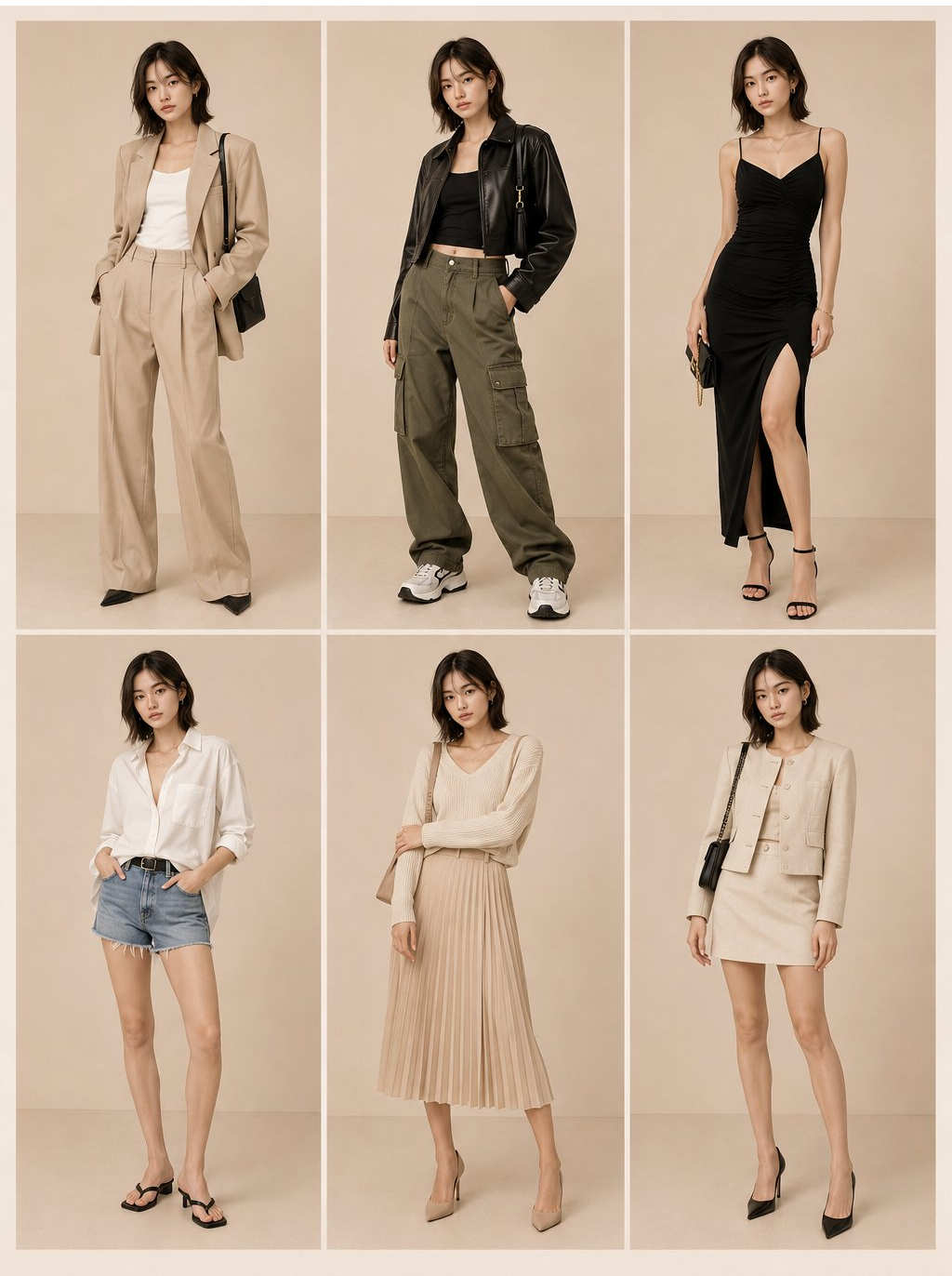
Turn one selfie into a series: same face, new outfits, new backdrops, new styles. Qwen Image Edit keeps you recognizable across an entire content calendar, so your feed looks deliberate instead of random.
Photographers & personal archives
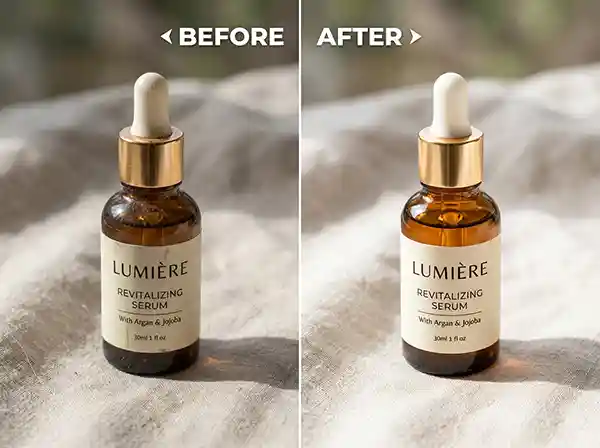
Rescue the shoebox of fading prints. Restore, de-scratch and colorize old family photos, then reframe or re-light them — bringing decades-old memories back without sending originals to a lab.
Designers & 3D artists
Use the camera-angle control as a rapid previz tool: orbit a character or set to find the strongest composition before committing to a render. The multi-angle output doubles as reference for consistent turnarounds.
why creators choose qwen image edit
Truly open & free
No watermark stamped on your work. The model is open-source — run it online here or download it and own your pipeline.
Built for real control
3D camera control, identity-preserving edits, and text-in-image editing give you precision that prompt-only generators can't match. You direct the shot; the model executes it.
Runs anywhere
From a browser tab to a 6GB laptop GPU via GGUF, Qwen Image Edit scales to your hardware instead of forcing you onto someone else's cloud.
how qwen image edit works
Upload your photo
Drag and drop, paste, or import from a URL.
Describe the edit
Type what you want changed in plain language, or set a new camera angle.
Generate
Qwen Image Edit applies the change while preserving the parts you want untouched.
Download
Export your high-resolution result, ready for storefronts, social, or print.
What creators say about Qwen Image Edit!
Don't take our word for it. Here's what they have to say about Qwen Image Edit.
I generated front, side and top-down angles for 30 listings in an afternoon. Camera control alone paid for the hour I spent learning it.
Marcus T.@marcus_t
Qwen Image Edit keeps me looking like me across every scene. My feed finally looks like one brand, not twelve different people.
Priya R.@priya_r
Restored and colorized 20 prints from the 1950s in one sitting. Faces stayed real — no plastic AI look.
Dan K.@dan_k
Edited the headline text directly inside the images for three markets. What used to be a designer ticket is now a same-day task.
Lena M.@lena_m
FAQ
Qwen Image Edit FAQ
Everything you need to know about editing photos with Qwen Image Edit online or running it on your own hardware.
- Yes. Qwen Image Edit is open-source — the hosted online editor is free to use, and you can also download the model and run it yourself at no cost.
- You can explore the tool freely. Editing through our hosted service uses a credit balance tied to your account so we can cover the GPU cost of each render, but you can also run the open-source model yourself with no account at all.
- No watermarks. Your edited results come out clean and ready to publish.
- The numbers are date-coded releases. 2509 (Sept 2025) improved single-subject consistency; 2511 (Nov 2025) is the current sweet spot, with much stronger character consistency, multi-person fusion, higher-resolution output, and built-in community LoRAs. 2512 refers to the related Qwen-Image generation update. For most editing, 2511 is the recommended choice.
- Yes — being open-source, it's well suited to commercial product, marketing and content work. Always confirm the current model license for your specific use.
- With quantized GGUF or FP8 builds, Qwen Image Edit runs on GPUs with as little as around 6GB of VRAM while staying close to full quality. AIO bundles simplify setup in ComfyUI.
- The online Qwen image editor runs in a browser, so you can use it from a phone or tablet without installing anything.
- Standard image formats like JPG, PNG and WebP work for input, and you can export your edited result in high resolution.
- Tasks that take layers, masks and minutes in a traditional editor — reframing a shot, removing an object, restoring a photo — happen from one sentence in Qwen Image Edit, with consistency the manual route struggles to match.