



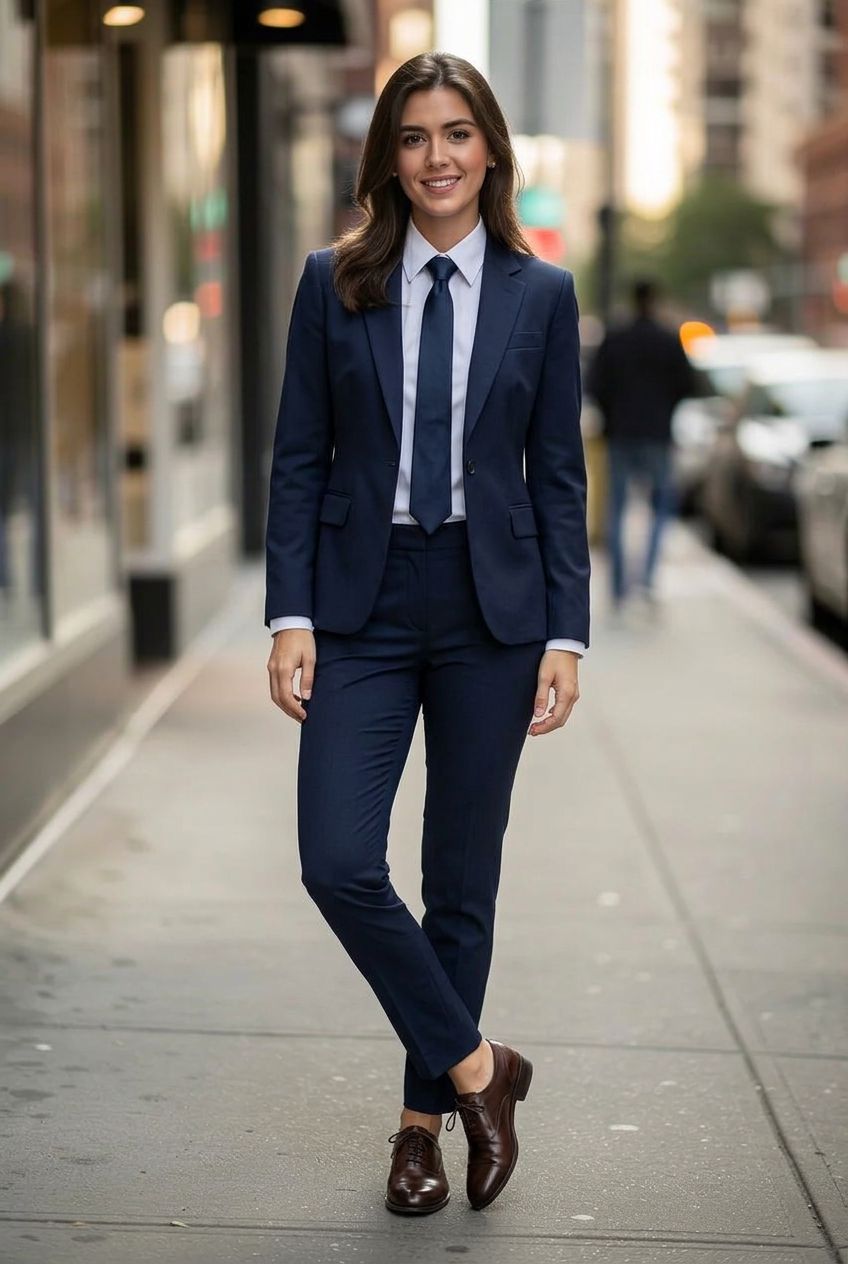
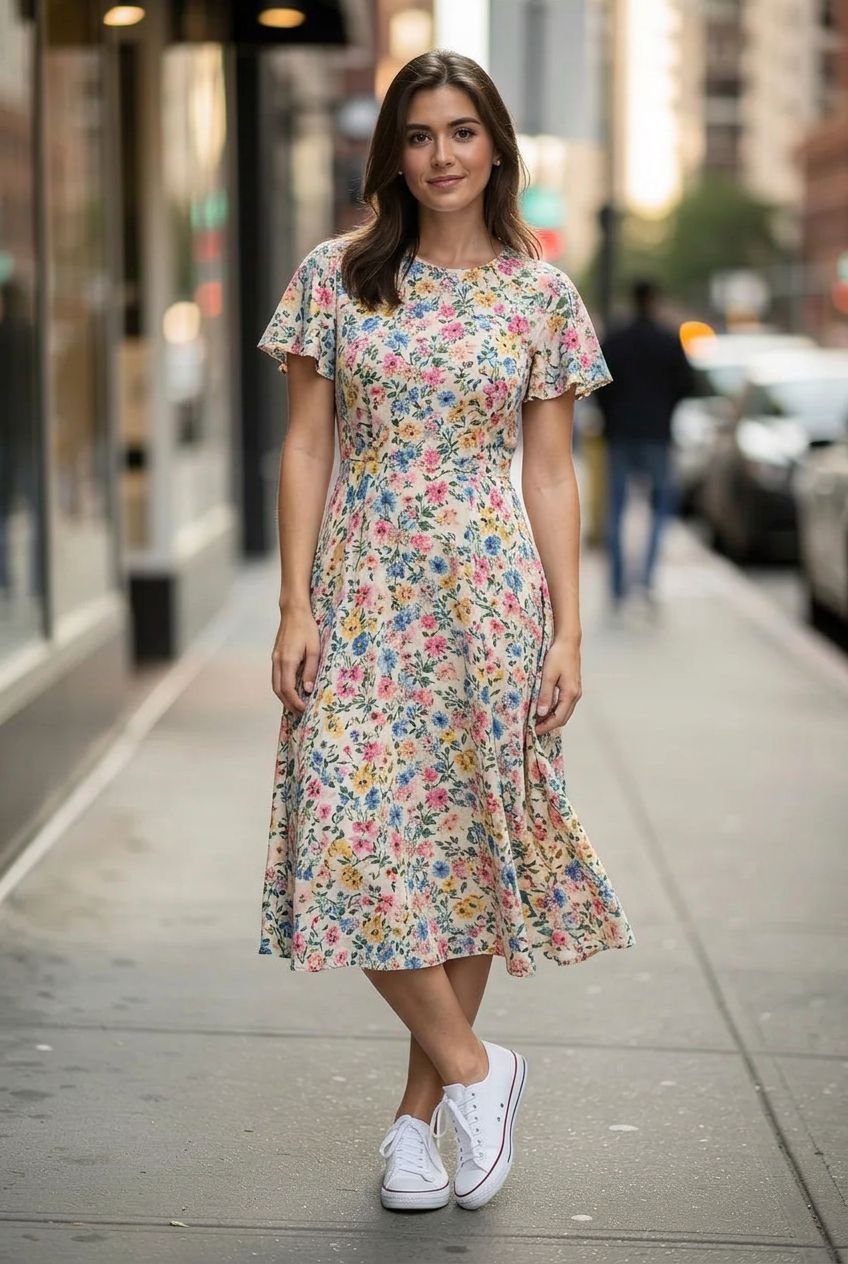
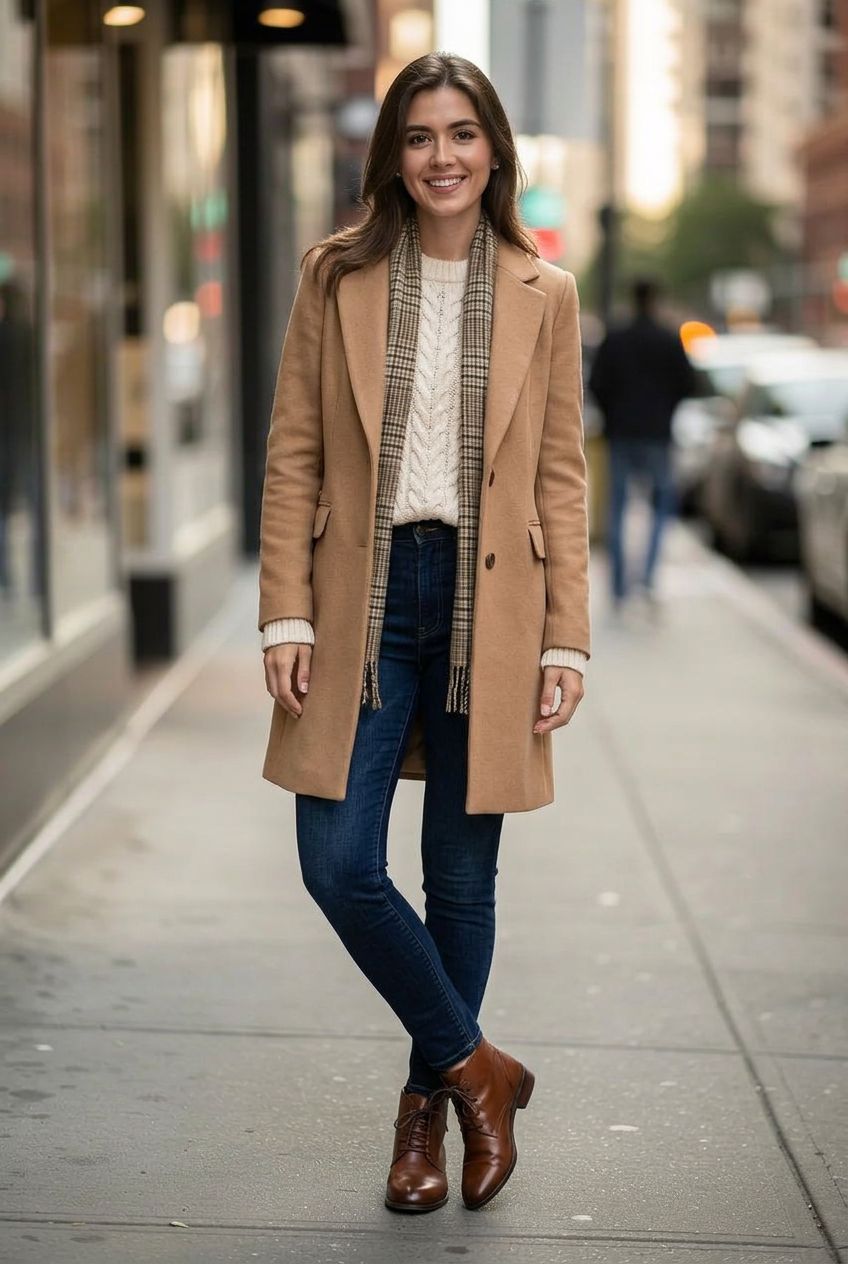
Outfit swap · Virtual try-on · 6 models
AI Clothes Changer
Upload a photo and change what you are wearing. Describe the outfit, such as a navy suit, a summer dress or a team jersey, or add a photo of the piece you want to try on, and the AI dresses you in it while your face, pose and background stay the same.
01 · Real results
AI Clothes Changer examples
Made on this page with the presets below on Nano Banana 2, unedited. The input photos are AI-generated people, not real ones.
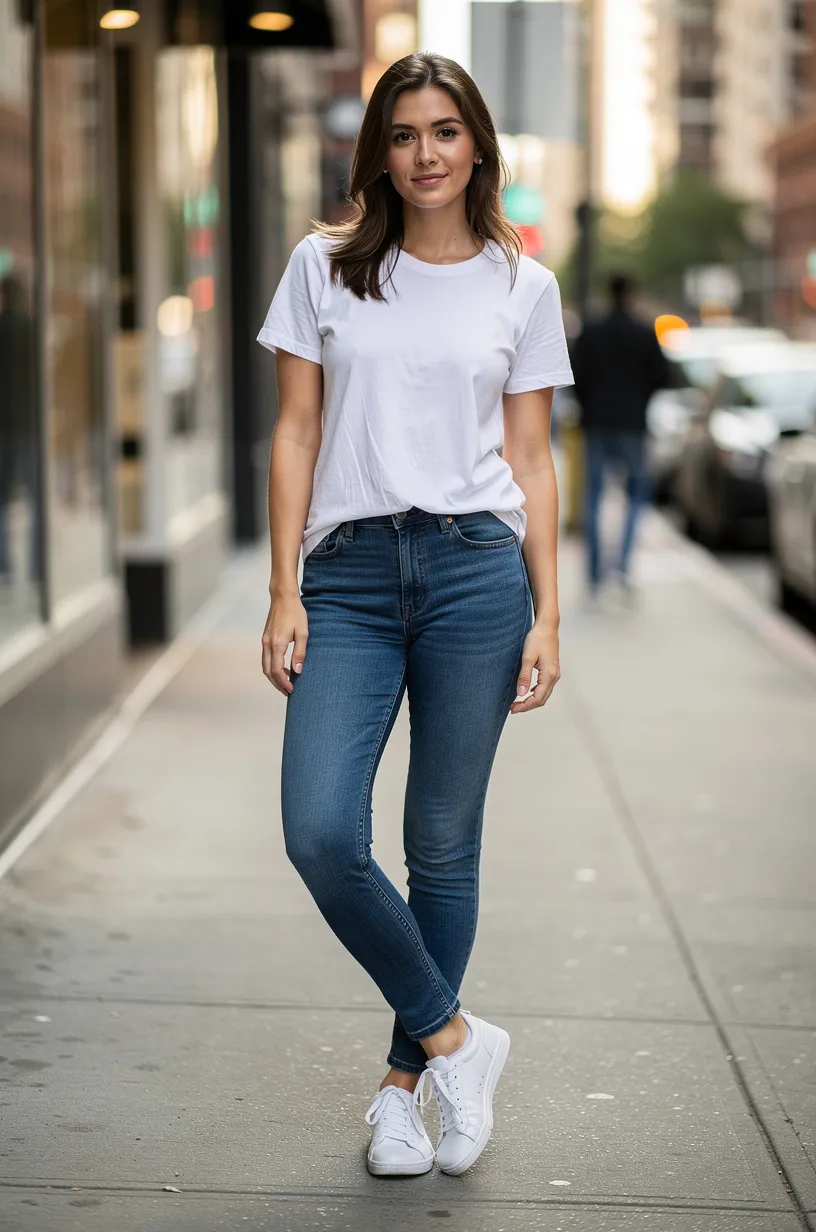
Business suit · Nano Banana 2 · drag the handle to compare
Dress the person in a tailored navy business suit with a crisp white shirt and a dark tie. Keep their face, hair, body shape, pose and the background exactly the same.
02 · What you can do
AI outfit swap: what you can try on
Each of these is a one-tap preset in the clothes changer above. Tap it, change the garment or color in the prompt, and run it on your photo.
Suits and workwear
See yourself in a tailored suit, a blazer or smart office wear, for a profile picture or before buying.
Virtual try-on from a product photo
Upload your photo first and a product photo second, and see that exact jacket, dress or shirt on you. The fit follows your pose.
Dresses and casual outfits
Try a summer dress, jeans and a jumper, or a whole weekend look on the same photo.
Formal and wedding wear
Compare gowns, tuxedos and wedding-guest looks before the event, without a fitting room.
Change the color of clothes
Recolor one garment and keep its folds, fabric and fit. A quick way to see a shirt or a dress in every shade.
Sports kits and uniforms
Jerseys, scrubs, chef whites or a school blazer, for a team photo, a costume idea or a job preview.
Costumes and cosplay
Knight, astronaut, pirate or a character cosplay: test a costume before Halloween or a convention.
Seasonal looks
Layer up for winter or strip back to linen for summer, and see how a full outfit works together.
03 · How to
How to change clothes in a photo with AI
4 steps, all on this page.
- 1
Upload your photo
Drop a JPG or PNG of up to 10 MB into the tool above. A full or half-body photo where your clothes are visible works best. Add a product photo second for a try-on.
- 2
Describe the outfit
Type what to wear, or tap a preset like Business suit or Try on product. Say what must stay the same: face, hair, pose, background.
- 3
Pick a model and shape
Nano Banana 2 is loaded by default; Seedream 4.5 is good at copying a garment from a second photo. Keep "Match input" for the same proportions.
- 4
Generate and download
Press Generate. The new outfit appears beside the form with a Download button and is saved to your history, so you can try another look on the result.
04 · Why AI
Why use an AI clothes swap
No fitting room, no reshoot
Trying an outfit normally means a shop visit or a new photoshoot. Here you see it on your own photo in seconds and can try ten looks in a few minutes.
Any garment you can describe
Virtual try-on apps usually work only with one retailer’s catalog. Here you can describe anything, or upload a photo of the exact piece you are thinking of buying.
You stay you
The models change the clothes and keep your face, hair, body shape and pose, so the result is a believable preview, not a stock model wearing the outfit.
05 · Models
The AI models behind the clothes changer
Switch models from the picker at the top of the generator. The price is per image and shows on the Generate button.
| Model | Best for | Credits from |
|---|---|---|
| Nano Banana 2default | Outfit swaps that keep your face and pose | 6 |
| Nano Banana 2 Lite | Fast, cheap outfit drafts | 1 |
| Seedream 4.5 | Try-on from a separate product photo | 8 |
| Nano Banana Pro | Fabric detail, prints and logos, up to 4K | 30 |
| GPT Image | Detailed styling with many pieces | 6 |
| Flux 2 Max | Photoreal fashion and catalog shots | 15 |
06 · Who it’s for
Clothes changer AI for
Shoppers
See a jacket or dress on yourself before you order it.
Online fashion sellers
Show one garment in several colors on the same model photo.
Profile pictures
Turn a casual photo into one in a suit or blazer.
Events
Plan a wedding, prom or party outfit.
Costumes
Try Halloween and cosplay ideas before buying.
Designers and stylists
Mock up outfit ideas on a client’s photo, with their permission.
07 · Prompting
Prompt tips for better results
Describe the garment like a shop listing: type, cut, color, fabric. Then say what must stay the same.
| Vague | Prompt that works |
|---|---|
| Nicer clothes | Dress me in a light grey linen suit with a white open-collar shirt and brown loafers. Keep my face, hair and pose. |
| Make it red | Change only the color of my hoodie to bright red. Keep its fabric, logo position and fit, and change nothing else. |
| Put this on me | (Two photos) Dress the person in image 1 in the coat from image 2, buttoned, fitted to their pose. Keep the background of image 1. |
| Party outfit | Dress me in a black velvet blazer, a silk shirt and tailored black trousers for an evening party. Keep my face and the room behind me. |
08 · FAQ
AI Clothes Changer FAQ
What is an AI clothes changer?
A tool that changes the outfit in a photo. You upload a picture, describe the clothes or add a photo of a garment, and an image model dresses the person in it while keeping their face, pose and background.
Is the AI Clothes Changer free?
New accounts get 5 free credits, and Nano Banana 2 Lite runs from 1 credit per image, so you can try it without paying. After that it runs on credits; the button shows the price before you run, and a failed run costs nothing.
Can I try on clothes from a shop photo?
Yes. Upload your photo first and the product photo second, then write "dress the person in image 1 in the dress from image 2". Seedream 4.5 and Nano Banana 2 handle this best. The fit is a realistic preview, not a size guide.
Will my face and body stay the same?
Usually. The presets ask the model to keep your face, hair, body shape and pose. If something drifts, say it again in the prompt or switch to Nano Banana Pro.
Can I change only the color of my clothes?
Yes. Use the Change color preset and name the garment and the new color. The fabric, folds and fit stay as they were.
Can I swap outfits between two photos?
Yes, as long as both are photos you have the right to use. Upload both and write "dress the person in image 1 in the outfit from image 2".
Does it work for rings, glasses or shoes?
It can add accessories like glasses, hats, shoes and jewelry if you describe them or upload a product photo. Small items such as rings are harder; a close-up photo of your hand helps.
What isn’t allowed?
Undressing, nudity and revealing or sexual edits are blocked, and requests for them are refused. Only everyday, formal, sports and costume outfits are supported. Edits of minors are limited to ordinary clothing, and you should only upload photos you have the right to edit, with the person’s permission.
09 · More tools
More AI tools
Change your outfit now
One photo, one outfit. Try a suit, a dress or a product photo and see it on you in seconds.
Open the AI clothes changer