



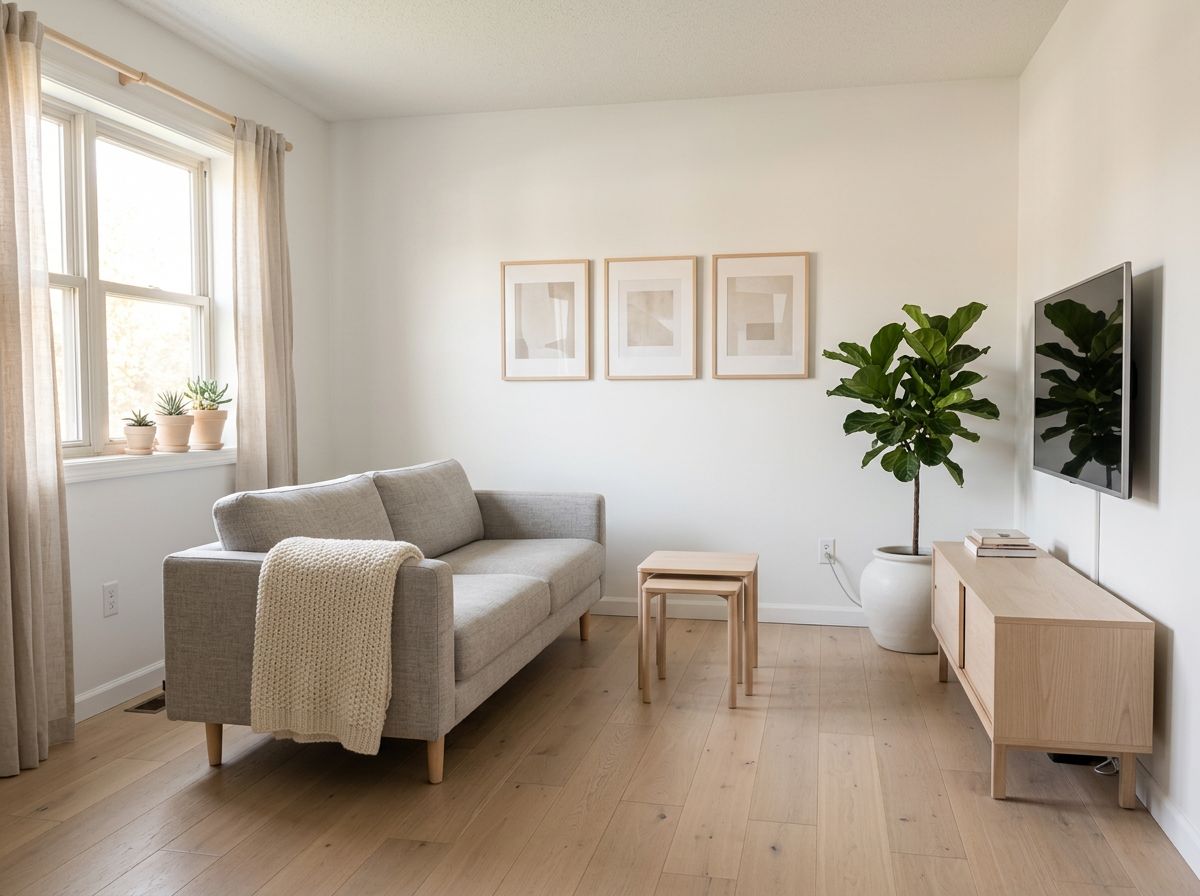
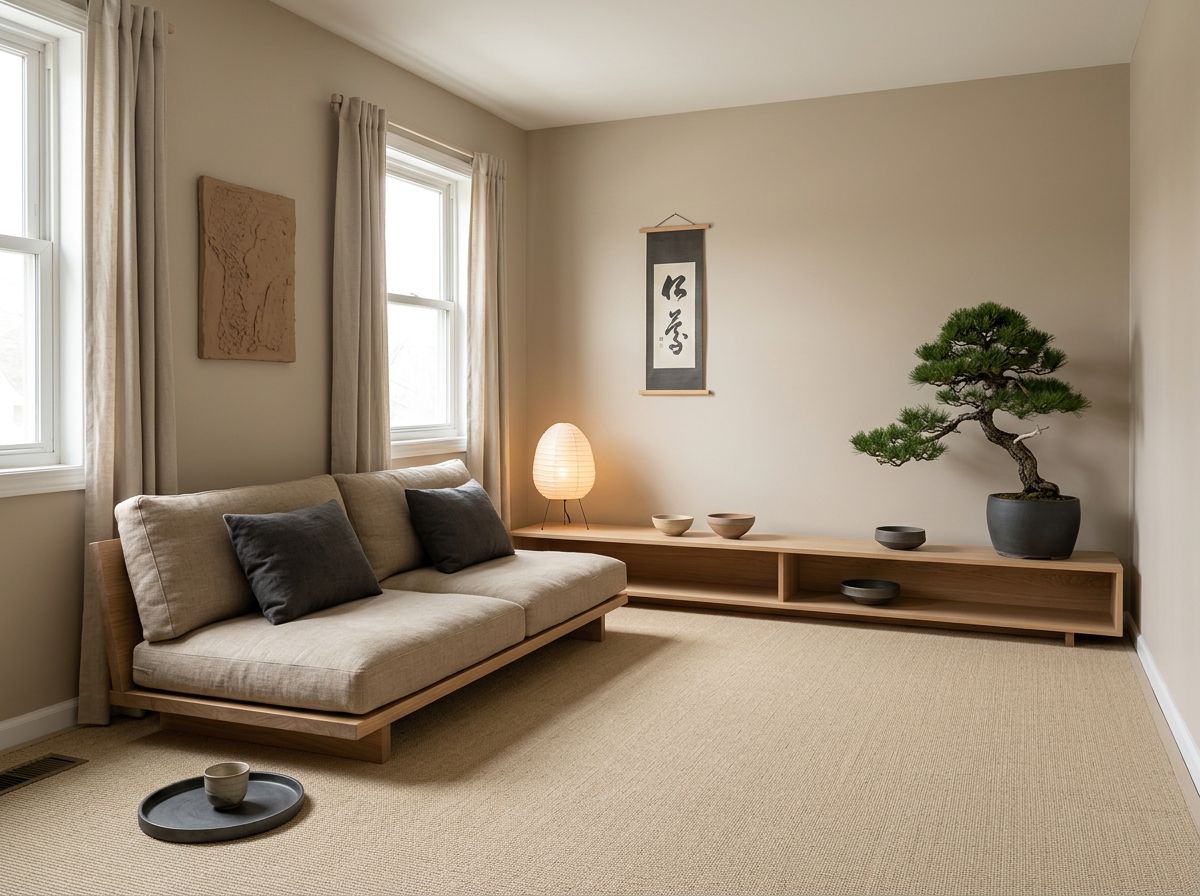
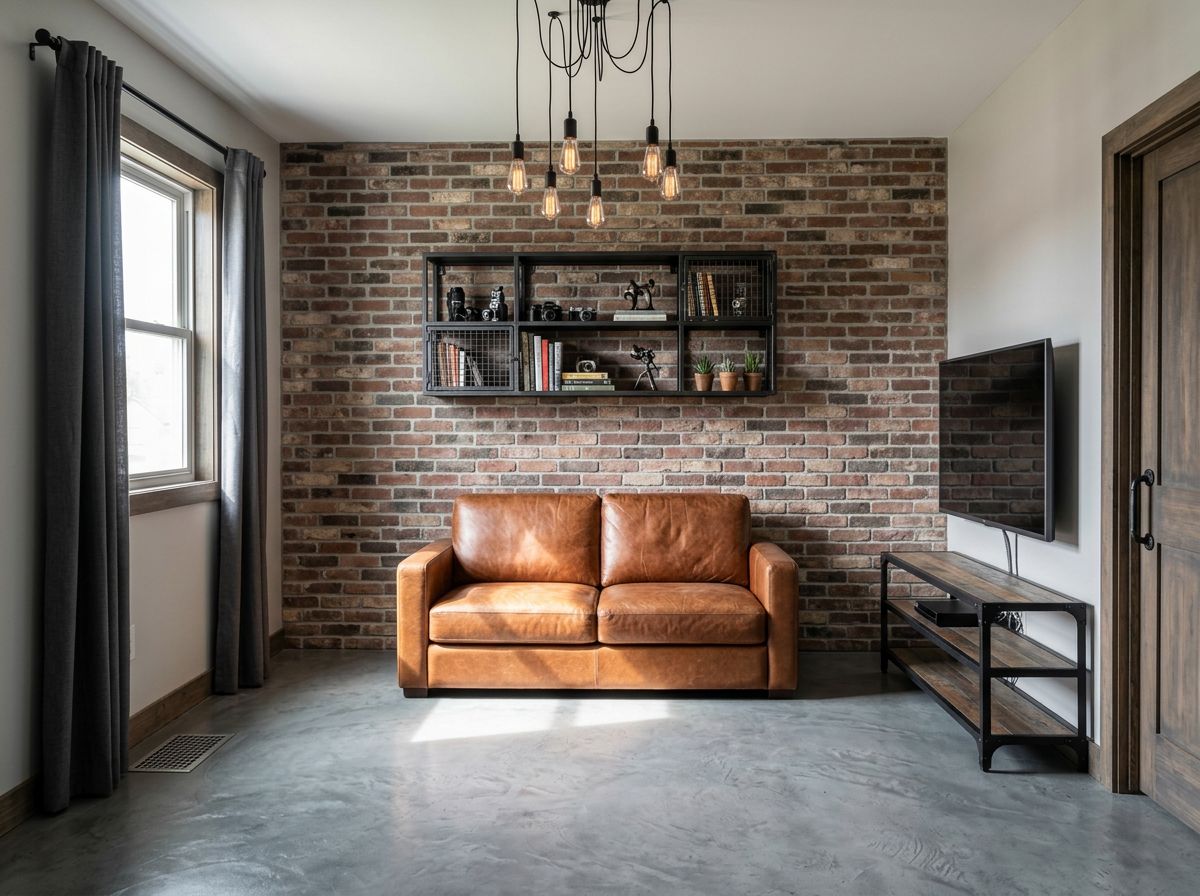
Room photo · New style
AI Interior Design
Take a photo of your room and see it in a new style: Scandinavian, Japandi, industrial, mid-century or your own mix. The walls, windows and layout stay where they are while the furniture, colors and materials change. Declutter, stage an empty room or test a paint color before you buy anything.
01 · Real results
AI Interior Design examples
Made on this page with the presets below on Nano Banana 2, unedited. The input photos are AI-generated people, not real ones.
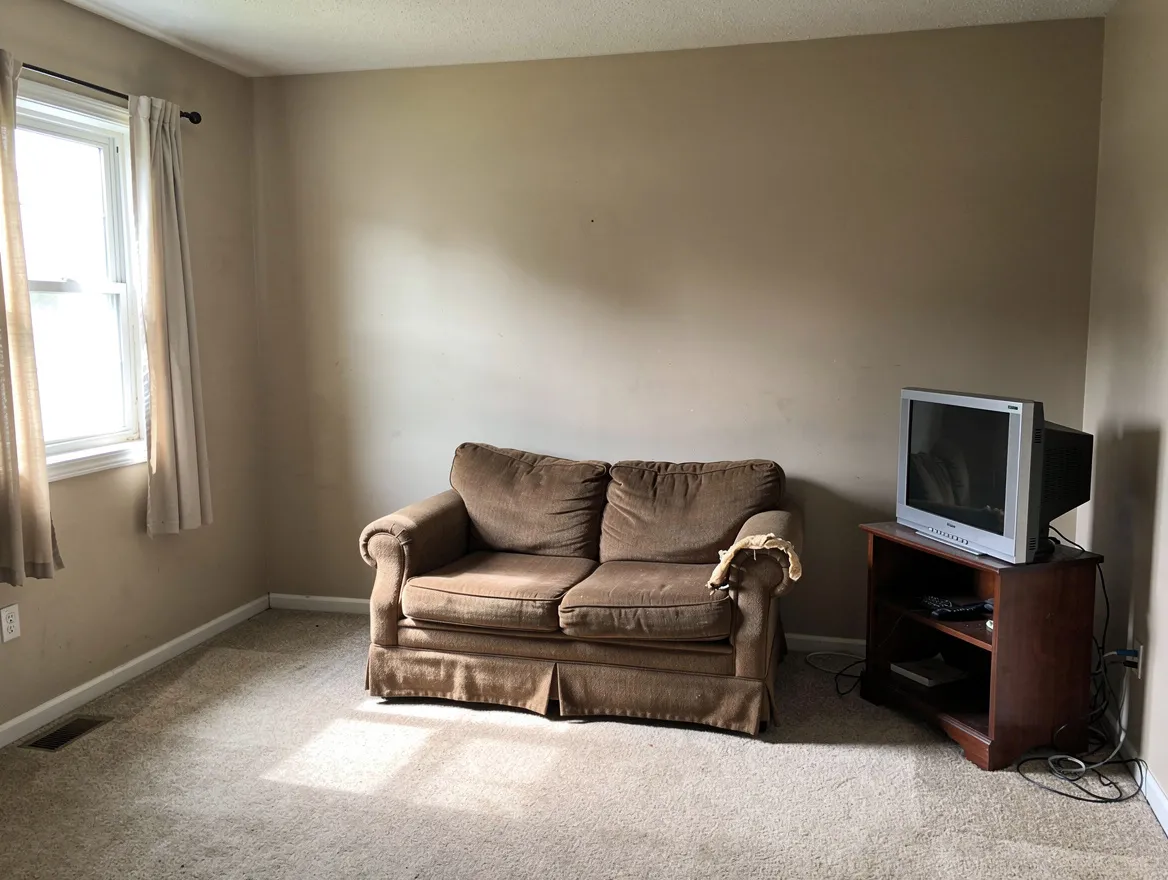
Scandinavian · Nano Banana 2 · drag the handle to compare
Redesign this room in a Scandinavian style: light oak floor, white walls, a light gray linen sofa, pale wood furniture, wool throws, green plants and soft daylight. Keep the walls, windows, doors, ceiling and room layout exactly the same.
02 · What you can do
Interior design with a photo: styles and makeovers
Each one is a one-tap preset in the designer above. Tap it, name your own colors or pieces if you like, and run it on your room photo.
Scandinavian
Light wood, white walls, soft textiles and plants. Bright and calm, and an easy look to buy for.
Japandi
Japanese calm meets Scandinavian warmth: low furniture, natural materials, a muted palette and very little clutter.
Industrial
Brick, black metal, leather and concrete, for a city-loft feel in a living room, office or kitchen.
Mid-century modern
Walnut, tapered legs, bold accent colors and graphic rugs. Name a color you love and it becomes the accent.
Declutter a room
See the room tidy before you clean it, or get a clean photo for a listing. The furniture stays; the mess goes.
Virtual staging
Furnish an empty room so buyers or guests can picture living there. If you use it in a listing, say the room is virtually staged.
Try a paint color
Test sage, navy, terracotta or warm white on your own walls before buying a tin. Screen colors differ from paint, so check a real sample too.
Garden and patio design
Upload a photo of the yard, balcony or patio and see it with a deck, planting and lighting. The house and fences stay put.
03 · How to
How to redesign a room with AI
4 steps, all on this page.
- 1
Photograph the room
Take a wide, level photo from a corner in daylight and drop the JPG or PNG (up to 10 MB) into the designer. Add photos of furniture you want to include, up to ten images in all.
- 2
Pick a style or a job
Tap a preset like Japandi, Declutter or Stage empty room, or describe your own brief. Always say what must stay: walls, windows, doors and layout.
- 3
Choose a model and shape
Nano Banana 2 is loaded by default. Keep "Match input" so the room comes back at the same proportions and lines up with your photo.
- 4
Generate and compare
Press Generate. The redesign appears beside the form in seconds with a Download button and is saved to your history, so you can try three styles on the same room.
04 · Why AI
An AI room design generator before you spend
Your room, not a showroom
Mood boards and catalog photos show someone else’s space. This shows the style in your own room, with your windows, your light and your floor plan.
Minutes, not a 3D model
Room planners need measurements and an evening of dragging furniture around. Here one photo and one sentence give you a realistic preview to react to.
Try the bold idea first
Dark green walls, a brick wall, a whole new style: see it first, then repaint or buy with more confidence, or hand the picture to your designer as a brief.
05 · Models
The AI models behind the interior design
Switch models from the picker at the top of the generator. The price is per image and shows on the Generate button.
| Model | Best for | Credits from |
|---|---|---|
| Nano Banana 2default | Restyles that keep walls, windows and layout | 6 |
| GPT Image | Long briefs with specific furniture and materials | 6 |
| Nano Banana Pro | Detailed, high-resolution renders up to 4K | 30 |
| Seedream 4.5 | Placing furniture from product photos into your room | 8 |
| Flux 2 Max | Photoreal light and textures | 15 |
| Nano Banana 2 Lite | Quick, cheap drafts to compare styles | 1 |
06 · Who it’s for
AI home design for owners, renters and pros
Homeowners
Preview a remodel, a new palette or a furniture swap before you commit.
Renters
Ideas you can do with furniture, textiles and plants, on the walls you can’t change.
Estate agents and sellers
Decluttered and virtually staged photos, labeled as staged.
Holiday hosts
Fresh looks for a rental and cleaner listing photos.
Interior designers
Quick concept images to show clients before a full render.
Gardeners
A new layout for the yard, patio or balcony from a single photo.
07 · Prompting
Prompt tips for better results
Name the style, a few key pieces and the colors, and always say what must stay the same so the room is still yours.
| Vague | Prompt that works |
|---|---|
| Make it modern | Redesign in a warm minimalist style: cream bouclé sofa, oak coffee table, jute rug, linen curtains. Keep the walls, windows and fireplace. |
| Clean it up | Remove the clutter from the desk, floor and shelves and hide the cables. Keep every piece of furniture where it is. |
| Add furniture | (Room + sofa photo) Put the green velvet sofa from image 2 against the back wall of the room in image 1, facing the window, at a realistic size. |
| Nicer kitchen | Repaint the kitchen cabinets matte navy, change the handles to brushed brass and the counters to white quartz. Keep the layout and appliances. |
08 · FAQ
AI Interior Design FAQ
What is AI interior design?
Using an AI image model to redesign a room from a photo. You upload a picture of your space, describe a style or a change, and the model redraws the room with new furniture, colors and materials while keeping its walls, windows and layout.
Is the AI Interior Design free?
New accounts get 5 free credits, and Nano Banana 2 Lite runs from 1 credit per image, so you can try it without paying. After that it runs on credits; the button shows the price before you run, and a failed run costs nothing.
Which interior styles can I try?
Any you can name. Scandinavian, Japandi, industrial and mid-century are presets; boho, coastal, farmhouse, art deco, maximalist and minimalist all work too. Mixing two styles and naming a color palette gives the most personal results.
Will it keep my room’s layout?
It tries to, especially when you say "keep the walls, windows, doors and layout the same". The model regenerates the image, so small details can shift; treat the result as a design preview, not a measured plan.
Can it make a floor plan?
It can draw an illustrative floor plan from a description in Text to Image mode, which is handy for brainstorming a layout. It isn’t a CAD tool: rooms won’t be to scale and measurements may be wrong, so don’t use the result for building or ordering.
Can I add a specific sofa or lamp I want to buy?
Yes. Upload your room photo and the product photo together and say where it goes, for example "put the lamp from image 2 next to the sofa". Seedream 4.5 and Nano Banana 2 are good at combining photos.
Can I use it for virtual staging in a listing?
You can stage and declutter listing photos, but be upfront: many markets expect or require you to say a photo is virtually staged, and you shouldn’t hide real defects like damp or damage.
How do I take a good room photo for this?
Shoot in daylight from a corner at chest height, hold the phone level, and fit in as much of the room as you can. Turn on the lights in dark rooms. Blurry or very dark photos give muddier redesigns.
09 · More tools
More AI tools
Redesign your room now
One room photo, one style. See Japandi or Scandinavian in your own space in seconds.
Redesign my room