



Free AI Image to Video Generator
Turn any photo into a video clip
Upload a still, describe the motion, and ImageFX animates your image into a cinematic HD clip with no watermark, powered by models like Kling 3.0 and Wan. Sign in with Google and your free starter credits cover your first clips.
Loved by e-commerce sellers, social creators, marketers, and real-estate agents who convert images to video every day.
Turn your photo into video
Upload, describe the motion, and generate. Sign in to use your free starter credits — nothing leaves this page until you press the button.
Your clip appears here
Upload a photo and press Generate.
Turn Any Photo Into Video With One Upload
Turn Any Photo Into Video With One Upload
Drop in a JPG, PNG, or WEBP — a product shot, a portrait, or concept art — type how you want it to move, and the model renders a 3 to 15-second clip, depending on the model. Free starter credits on sign-up cover your first clips, with no credit card needed.
Convert Image to Video in HD — No Watermark
Export clean 720p and 1080p HD with no watermark stamped across your frame. Every clip is ready to publish straight to TikTok, Reels, YouTube Shorts, or a client deck. Upgrade for native 4K when you need broadcast-grade detail.
Choose Your AI Video Model
Route each generation to the model that fits the shot: ImageFX Motion for quick, low-cost clips, Kling 3.0 for physics-aware motion up to 4K, or Wan 2.7, 2.6 and 2.5 for consistent, production-ready footage — all in one workspace.
Add Motion to a Photo With Text Prompts
Brief the AI the way you’d brief a director — in plain language. "Slow dolly-in on the subject," "hair moving in the wind," "camera orbits the product" — control direction, speed, and intensity without touching a timeline.
Picture to Video for Every Aspect Ratio
Export in 9:16, 16:9, or 1:1 so your clip fits wherever you post — vertical for TikTok, Reels, and Shorts, widescreen for YouTube, or square for feed ads. One photo becomes three platform-native clips, no recropping.
Bring Old Photos to Life
Add gentle, natural motion to a memory — a subtle smile, a blink, a soft parallax on the background. Upload a scanned family photo and animate it into a short, shareable clip instead of a static slideshow.
Stills that learned to move
Every clip below started as one still photo and a one-line prompt.
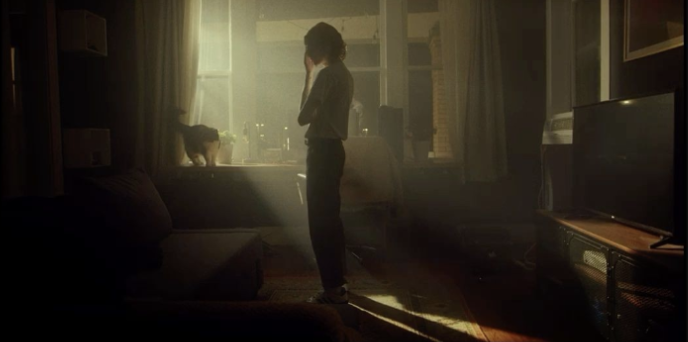 ORIGINAL
“She slowly looks up as warm sunlight drifts across the room”
Cinema Sweep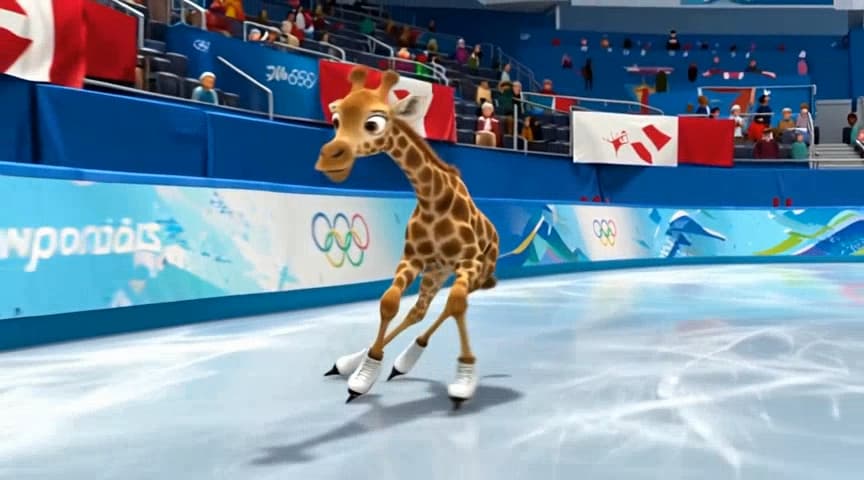 ORIGINAL
“A giraffe glides across an olympic ice rink, televised footage”
Drift Motion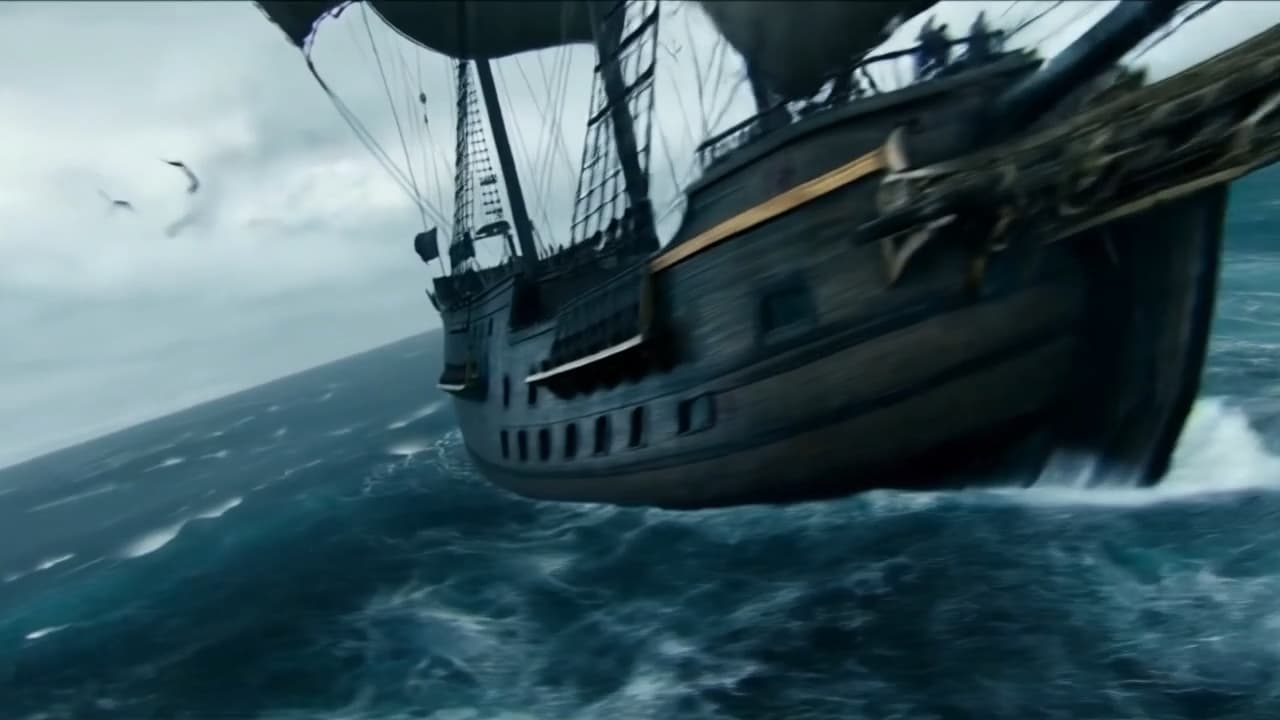 ORIGINAL
“A pirate ship pitches and rolls through a raging night sea”
Kinetic TurboReal-World Use Cases for the Free AI Image to Video Generator
E-commerce & Online Stores
Turn a flat product shot into a 360° rotating video or a lifestyle clip that lifts conversion, without booking a studio. Make image-to-video product clips at the scale your catalog needs.
Social Media & Content Creators
Animate a photo into a 5s or 10s hook for Reels, Shorts, and TikTok — watermark-free vertical clips ready to publish. Feed the algorithm with fresh motion instead of static posts.
Marketing & Ad Teams
Turn brand images into motion variations for A/B testing across channels — a dozen picture-to-video cuts in the time one edit used to take. Make on-brand video from assets you already own.
Real Estate
Convert listing photos into cinematic property walkthroughs that stand out in the feed. Animate a static room shot into a slow, sweeping pan for Instagram and portal listings.
Designers & Creative Pros
Prototype motion concepts before committing to a full production pipeline. Animate concept art or a logo into a title sequence, choosing the model that fits the exact look you want.
Beginners & First-Timers
No editing skills, no problem. If you can upload a photo and type a sentence, you can make a video from an image — no timeline, no keyframes, no learning curve.
Small-Business Owners
Turn a storefront or menu photo into a promo clip for your socials and keep a steady posting cadence on a zero budget — no agency invoice required.
Why Creators Choose ImageFX
Results in Minutes
Most clips are ready in a minute or two, with live progress while the model renders. No timeline to edit, no overnight renders.
Private by Default
Your uploads are encrypted in transit and deleted automatically after processing. We don't sell your photos or quietly feed them into training.
Free to Start
Sign in with Google and get free starter credits — no credit card, and no watermark on HD exports. Want to try video without an account? Our free AI video generator runs open-source models with no sign-up.
How It Works
From a static photo to a moving clip in about the time it takes to read this.
Upload your image
Drop in a JPG, PNG, or WEBP — a product shot, portrait, or landscape.
Choose a model & describe the motion
Pick ImageFX Motion, Kling 3.0 or Wan, then type how you want it to move.
Generate
The AI renders your image into video in a minute or two — no timeline, no keyframes.
Download
Export watermark-free HD (or 4K on premium) in 9:16, 16:9, or 1:1, ready to post.
The ImageFX Promise
Studio Motion, Democratized
Cinematic camera moves that used to require a rig and an editor now start from one photo and one sentence — the leading 2026 video models behind a single upload box.
Your Data, Your Rules
Photos are personal. We encrypt every upload, delete it after processing, and never sell or train on your images without consent.
No Wall Between You and the First Clip
No credit card to start and no watermark on HD. Sign in once and your free starter credits cover your first clips, so you can make a video from an image today instead of reading a pricing page first.
Frequently Asked Questions
Is the AI image to video generator really free?+
You can start free: new accounts get free starter credits, enough for several short ImageFX Motion clips, with no credit card and no watermark on HD exports. Longer clips, 4K and models like Kling 3.0 use more credits, available on paid plans and credit packs.
Do I need to sign up or log in to convert an image to video?+
Yes, this tool needs a free account: sign in with Google and your starter credits are added right away. If you'd rather not sign in, our free AI video generator runs open-source models with no account.
Is there a watermark on the free image to video output?+
No. Free HD downloads are watermark-free, unlike many tools that stamp every export. Clips are ready to post straight to TikTok, Reels, Shorts, or a client project.
What resolutions and durations can I export?+
Clip length depends on the model: ImageFX Motion makes 3- and 5-second clips, and Kling 3.0 and Wan make clips of 5 to 15 seconds. Output is 720p or 1080p HD, and Kling 3.0 renders up to 4K. Aspect ratios include 16:9, 9:16 and 1:1 for YouTube, TikTok, Instagram and Shorts.
Which AI video models power the generator?+
Choose ImageFX Motion for fast, low-cost clips, Kling 3.0 for physics-aware motion up to 4K, or Wan 2.7, 2.6 and 2.5 for consistent, cinematic footage. For Google's Veo 3, use our Veo 3 image-to-video page.
Can I use the videos commercially?+
Commercial use depends on the model — each provider sets its own terms. Check the terms of the model you used, and our Terms of Service, before using a clip in ads, product pages or client work.
What image file formats can I upload?+
JPG, PNG, and WEBP. For best results use a sharp, well-lit photo at 1080p or higher so the model has clean detail to animate.
Does it work on mobile?+
Yes. ImageFX runs in any modern browser on phone, tablet, or desktop, so you can convert a picture to video from your phone with nothing to install.
Is my uploaded photo private and safe?+
Uploads are encrypted in transit and deleted automatically after processing. We don't sell your images or use them to train models without consent.
How is this different from editing a video by hand?+
Instead of keyframing motion in After Effects or Premiere, you upload one still and describe the movement, and the AI renders a finished clip in seconds — a fast alternative to a full motion-graphics workflow.
More Tools
More AI Video Models
Animate an image with the model that fits your shot:
Ready to animate?
Upload a photo, get a video.
Turn your image into video — free starter credits, no card.