


由 GOOGLE 驱动
Nano Banana 2 AI 图片生成器
Nano Banana 2 能把提示词变成图片,也能用一句普通的话编辑你的照片,从 512px 快速草稿到 4K 都行。在 ImageFX 上直接用浏览器体验 Google 的 Nano Banana 2。
Nano Banana 2 擅长文字渲染、主体一致性和写实细节。描述越详细,效果越好。
看看 Nano Banana 2 能创作什么
在 ImageFX 上用 Nano Banana 2 生成的真实结果,有的只用文字,有的来自上传的照片,并附上每个结果所用的提示词。
 文生图
一段提示词生成的精细 3D 场景。
提示词 · “Isometric 3D diorama of a tiny cosy bookshop on a floating cube, warm window light, plants, a cat on the counter, soft clay render, pastel palette.”
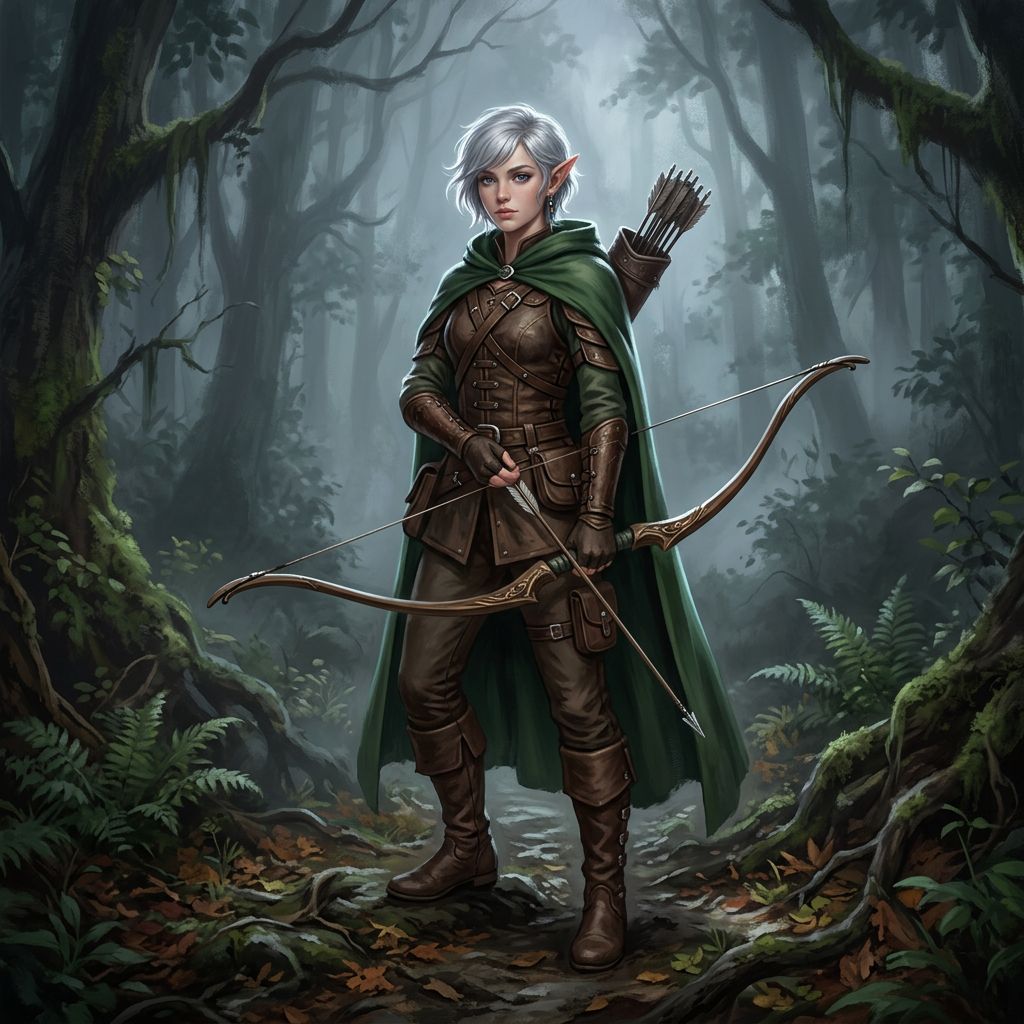 文生图
全身角色概念设计图。
提示词 · “Full-body character concept art of a young elven ranger with short silver hair, a green hooded cloak, leather armor and a longbow, standing in a misty forest, detailed digital painting, soft rim light.”
 照片编辑

输入 换上新背景,人物保持原样。
提示词 · “Replace the background with a bright, softly blurred city street at golden hour. Keep the person, their pose, face and clothes exactly the same.”
 照片编辑
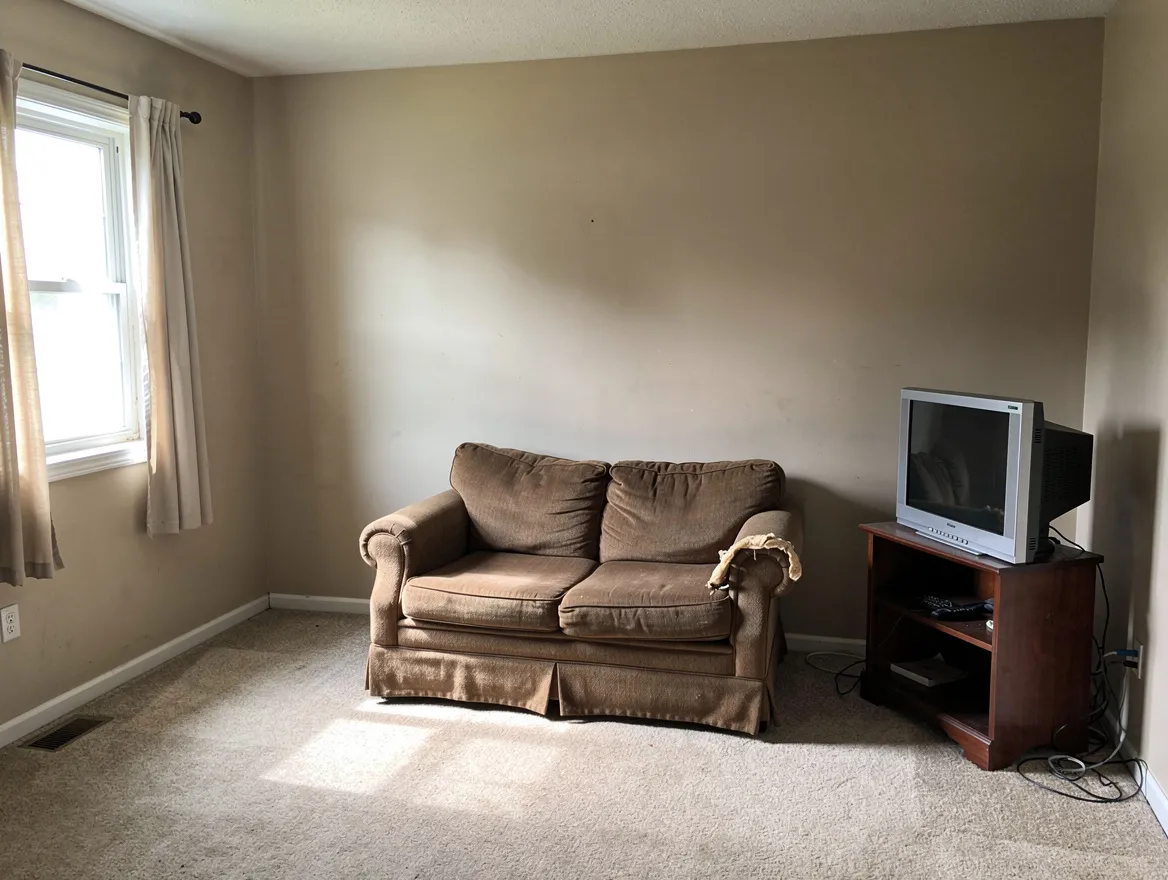
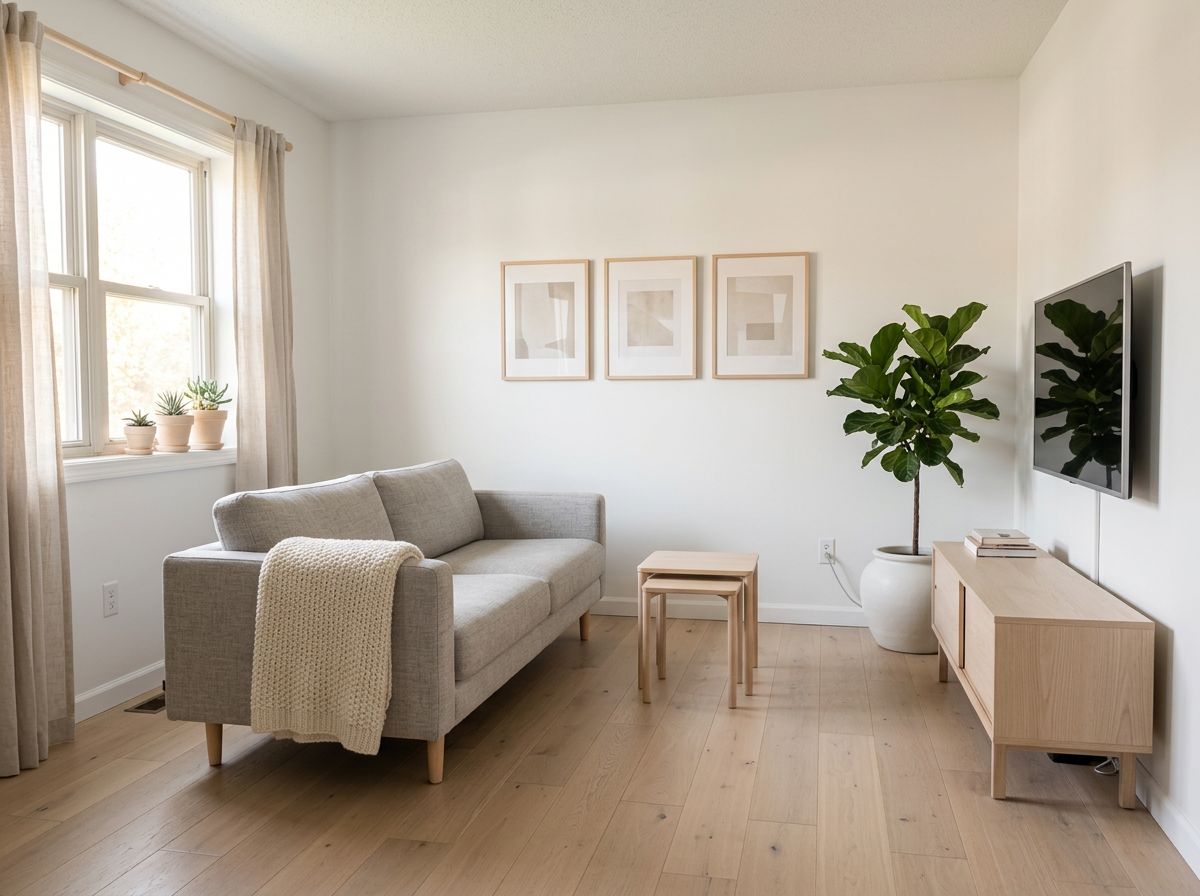
输入 以新风格重新设计的房间。
提示词 · “Redesign this room in a Scandinavian style: light oak floor, white walls, a light gray linen sofa, pale wood furniture, wool throws, green plants and soft daylight. Keep the walls, windows, doors, ceiling and room layout exactly the same.”
 多图合成

输入 两张照片合成一张人像。
提示词 · “Combine the person in image 1 and the person in image 2 into one natural couple portrait, standing close together and smiling, in a sunny park at golden hour. Keep both faces, hair and skin tones exactly as in their photos.”
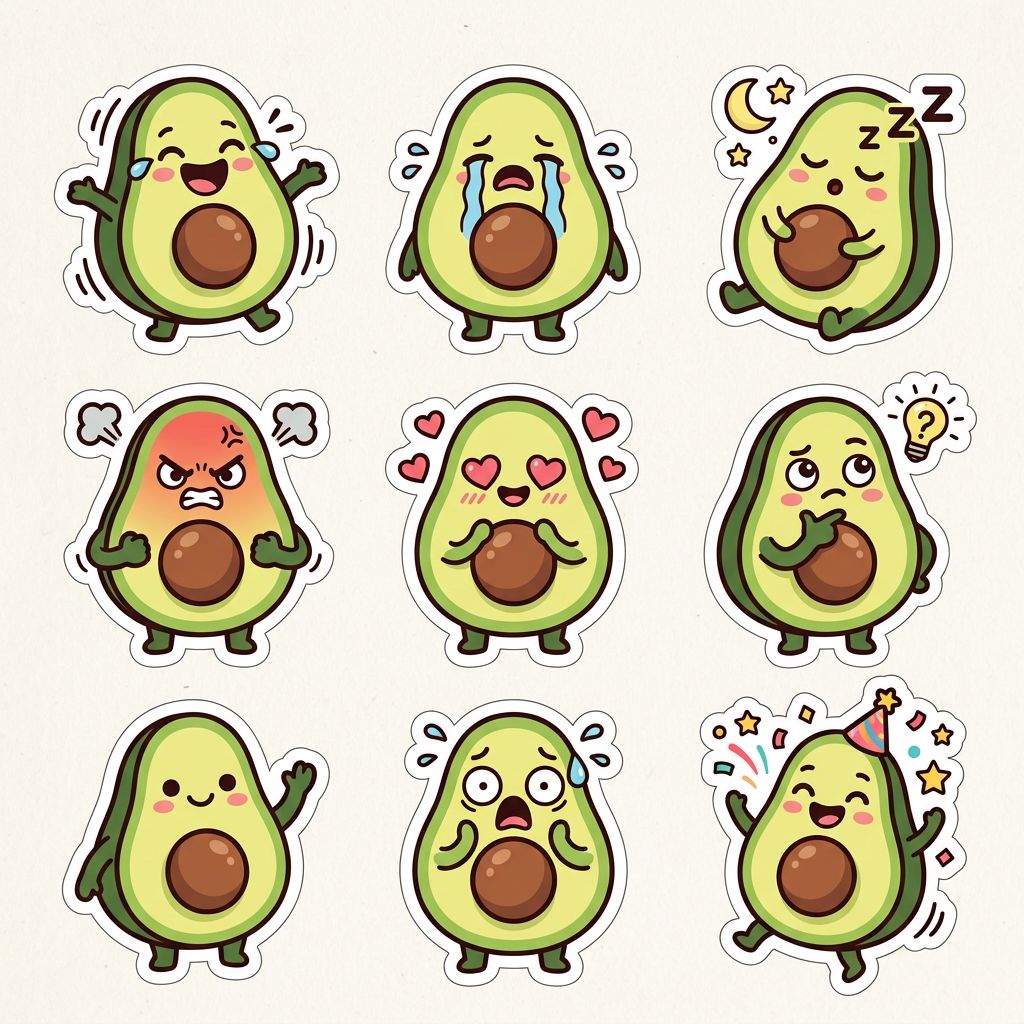 文生图
同一角色的一整套配套贴纸。
提示词 · “Sticker sheet of nine matching cartoon stickers of a happy avocado character showing different moods: laughing, crying, sleeping, angry, in love, thinking, waving, shocked and partying, thick outlines, white die-cut borders, grid layout, plain light background.”
Nano Banana 2 的核心功能
Nano Banana 2 是 Google DeepMind 的 Gemini 3.1 Flash Image 模型。它以 Flash 的速度带来 Nano Banana Pro 级别的细节:在同一个生成器里,用文字生成图片、编辑你上传的照片,还能混合多张参考图。
01 / 06
Pro 级细节的文生图
描述一个场景,Nano Banana 2 就会把它画出来:照片级写实画面、插画、3D 场景或产品图。它能紧跟冗长而详细的提示词,所以请写清主体、场景、光线和风格。由于 Nano Banana 2 基于 Gemini Flash,它比 Nano Banana Pro 快得多,慢模型渲染一张的时间,你已经能试好几个创意。
立即体验 Nano Banana 202 / 06
用一句话编辑照片
上传一张照片,告诉 Nano Banana 2 要改什么:换背景、换服装、换发型、换一种艺术风格。说明哪些内容必须保持不变,Nano Banana 2 就会保留面部、姿势和构图,只改动你要求的部分。喜欢这个结果?点击下方的“编辑”继续调整。
用 Nano Banana 2 编辑照片03 / 06
最多合并 14 张参考图
Nano Banana 2 一次编辑最多可接收 14 张输入图片。把两个人放进同一张人像,把产品放进新场景,或者把一张图的风格借给另一张。用“图 1”“图 2”等称呼每张上传的图片,Nano Banana 2 会读完所有参考图后再生成结果。
用 Nano Banana 2 合并图片04 / 06
多张图片中角色保持一致
Nano Banana 2 能让角色的面孔、服装和风格在一张张图片间保持一致,最多支持五个角色。因此它很适合分镜、漫画、品牌吉祥物和角色设定图。把你的角色作为参考图上传,再描述新的姿势或场景。
用 Nano Banana 2 创建角色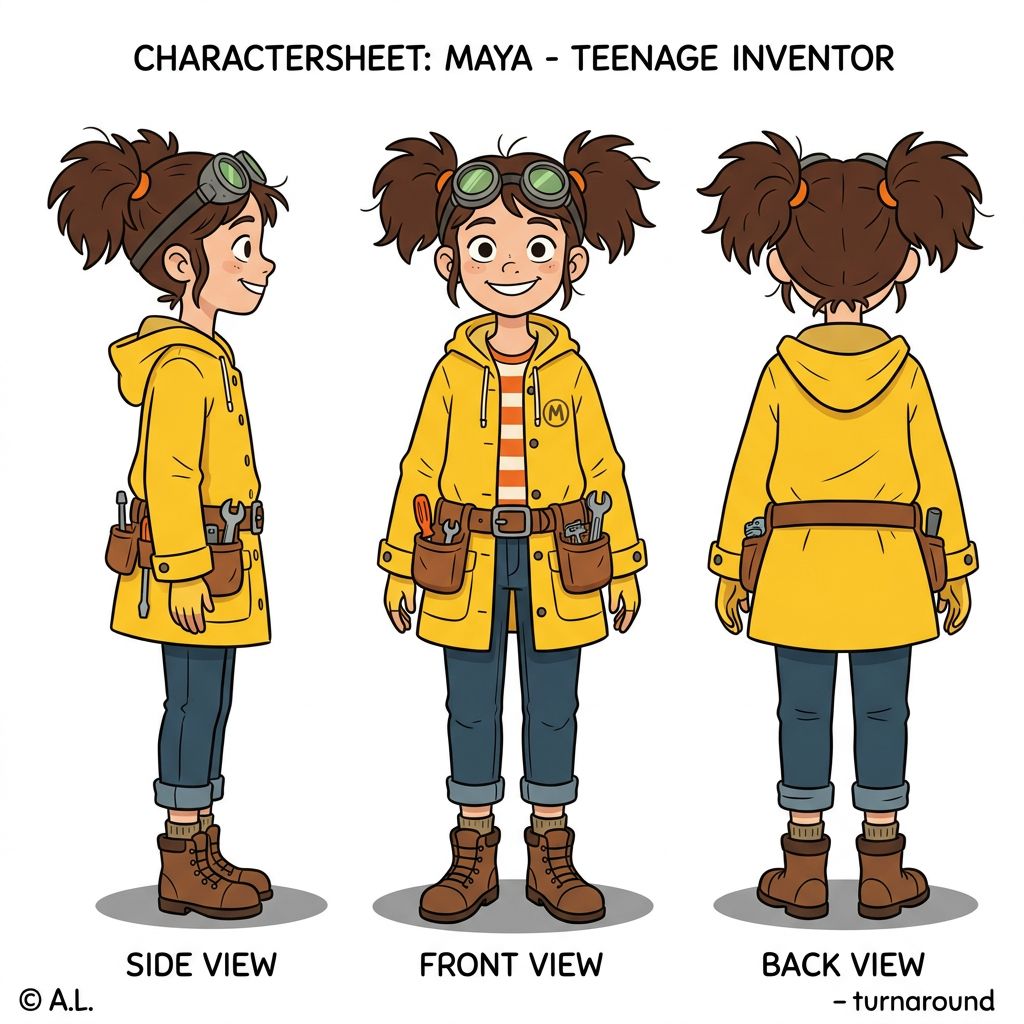
05 / 06
图中文字清晰锐利
Nano Banana 2 能在画面中写出干净、清晰的文字,支持拉丁字母以及中文、日文和韩文字符。制作海报、贺卡、社交媒体帖子和包装样稿时,文字一步到位。把要出现的文字原样放进提示词的引号里即可。
用 Nano Banana 2 制作海报A minimalist poster for a coffee shop with the headline "MORNING RITUAL" in bold serif letters, a steaming cup below, warm beige and brown palette, clean layout.
试试这段提示词06 / 06
从 512px 草稿到 4K,任意形状
为每张 Nano Banana 2 图片选择分辨率:512px 出草稿最快,1K 适合网页,2K 或 4K 适合打印。形状也可以选,从方形、竖版到宽屏、超宽屏,以及适合横幅的超长竖条。编辑时,Nano Banana 2 可以沿用你上传图片的形状。可下载为 PNG 或 JPG。
体验 4K 的 Nano Banana 2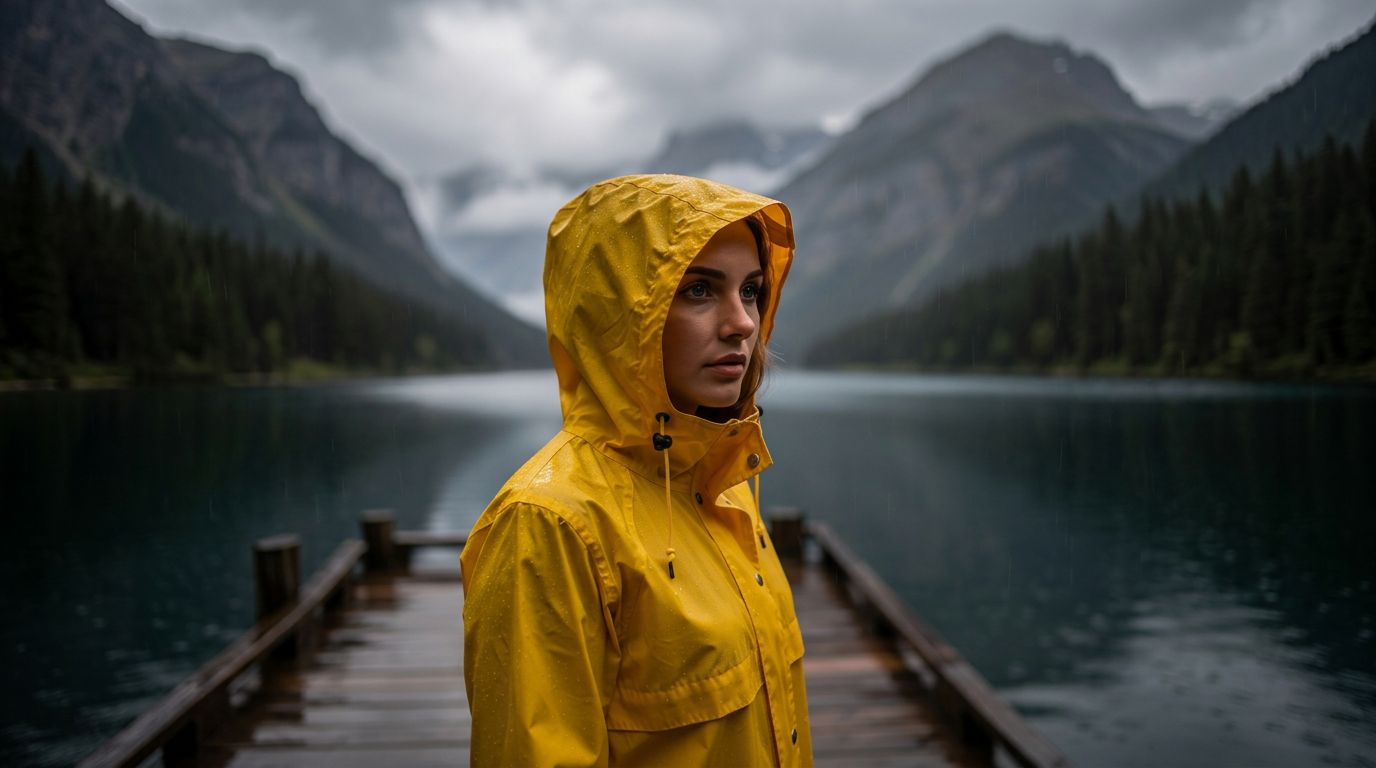
如何在 ImageFX 上使用 Nano Banana 2
选择“生成”或“编辑”
打开本页顶部的 Nano Banana 2 生成器。选择“生成”用文字创建图片,或选择“编辑”上传最多 14 张图片(JPEG、PNG 或 WebP)。
描述你的图片
写下你想看到的画面,或照片中要修改的地方。然后选择宽高比、分辨率,以及 PNG 或 JPG。
生成并下载
点击按钮,在表单下方查看结果,然后下载,或点击“编辑”用新的提示词继续调整。
每张 Nano Banana 2 图片消耗 6–16 积分,取决于分辨率;编辑的价格相同。生成按钮会先显示价格,生成失败不扣积分。 查看套餐和积分包
在 ImageFX 上探索更多 AI 图片模型
Nano Banana 2 只是 ImageFX 上众多图片模型之一。用同一段提示词试试这些模型,对比结果。
- GoogleNano Banana ProGoogle 的高端版 Nano Banana,影棚级细节,最高 4K。30 积分起
- GoogleNano Banana 2 Lite最快、最便宜的 Nano Banana,适合大批量出草稿。1 积分起
- OpenAIGPT ImageOpenAI 的图片模型,擅长遵循提示词和排版文字。6 积分起
- ByteDanceSeedream 5.5ByteDance 的 Seedream:文生图和多图编辑。4 积分起
- Black Forest LabsFlux 2 MaxBlack Forest Labs 的旗舰模型,照片级写实质量顶尖。15 积分起
- IdeogramIdeogram v3 Quality一流的文字渲染,适合海报和标志。10 积分起
关于 Nano Banana 2 的常见问题
Nano Banana 2 是什么?
Nano Banana 2 是 Google DeepMind 的 AI 图片模型,正式名称为 Gemini 3.1 Flash Image,于 2026 年 2 月 26 日发布。它兼具 Nano Banana Pro 的画质和 Gemini Flash 的速度。在 ImageFX 上,你直接在浏览器中使用 Nano Banana 2,无需 Google Cloud 账号或 API 密钥。
在 ImageFX 上 Nano Banana 2 能做什么?
两件事:用文字生成图片,以及用一句文字指令编辑你上传的图片,一次最多可用 14 张参考图。按钮旁的设置会显示可选的宽高比、分辨率和文件格式。
Nano Banana 2 和 Nano Banana Pro 有什么不同?
Nano Banana 2 为速度而生:画质相近,却比 Nano Banana Pro 快得多,适合大批量创作和快速迭代。追求极致细节和精细美术指导时,Nano Banana Pro 仍是首选。两者最高都支持 4K。
Nano Banana 2 生成一张图片需要多久?
取决于分辨率:512px 最快,4K 最慢。生成器的分辨率菜单会显示每种尺寸的常见等待时间。
用 Nano Banana 2 编辑照片需要什么?
切换到“编辑”,至少上传一张图片:JPEG、PNG 或 WebP,每张最大 5 MB,总共最多 14 张。没有图片时编辑模式无法运行。你也可以通过结果下方的“编辑”按钮,把刚生成的图片送回编辑器。
Nano Banana 2 会加水印吗?
Google 会在每张 Nano Banana 2 图片中嵌入隐形的 SynthID 水印,以便识别其为 AI 生成。ImageFX 不添加任何可见水印。
Nano Banana 2 生成的图片可以商用吗?
ImageFX 不主张你所生成图片的权利,但能否商用由 Google 针对 Nano Banana 2 的条款决定,且条款可能变化。用于商业项目前请先查看,并参阅我们服务条款的第 3 节。