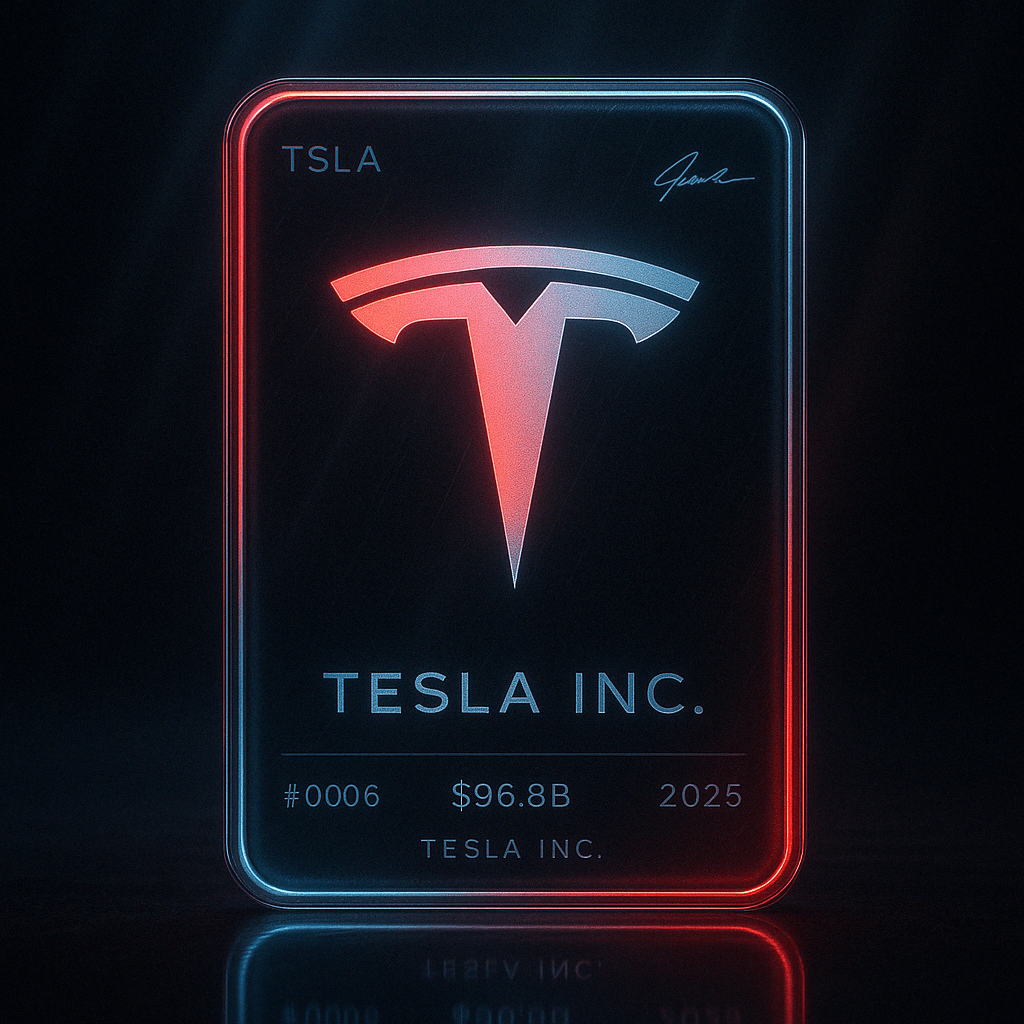
Futuristic Logo Trading Card
未来感Logo交易卡
{
    "prompt": "A futuristic trading card with a dark, moody neon aesthetic and soft sci-fi lighting. The card features a semi-transparent, rounded rectangle with slightly muted glowing edges, appearing as if made of holographic glass. At the center is a large glowing logo of {{logo}}, with no additional text or label, illuminated with a smooth gradient of {{colors}}, but not overly bright. The reflections on the card surface should be subtle, with a slight glossy finish catching ambient light. The background is a dark carbon fiber texture or deep gradient with soft ambient glows bleeding into the edges. Add subtle light rays streaming down diagonally from the top, giving the scene a soft cinematic glow. Apply light motion blur to the edges and reflections to give the scene a sense of depth and energy, as if it's part of a high-end tech animation still. Below the card, include realistic floor reflections that mirror the neon edges and logo—slightly diffused for a grounded, futuristic look. Text elements are minimal and softly lit: top-left shows '{{ticker}}', top-right has a stylized signature, and the bottom displays '{{company_name}}' with a serial number '{{card_number}}', a revenue badge reading '{{revenue}}', and the year '{{year}}'. Typography should have a faint glow with slight blurring, and all elements should feel premium, elegant, and softly illuminated—like a high-end cyberpunk collectible card.",
    "parameters": {
        "logo": "Tesla logo",
        "ticker": "TSLA",
        "company_name": "Tesla Inc.",
        "card_number": "#0006",
        "revenue": "$96.8B",
        "year": "2025",
        "colors": ["red", "white", "dark gray"]
    }
}How to use it
Modify values in parameters object to customize the card.
Swap these placeholders
- {logo
- {colors
- {ticker
- {company_name
- {card_number
- {revenue
- {year
- "red", "white", "dark gray"
Replace each bracketed token with your own subject before generating — leaving them in place makes the model render the literal words.
Recreate it
Credit
Collected from awesome-gpt-image2-prompts · originally shared by @hewarsaber.