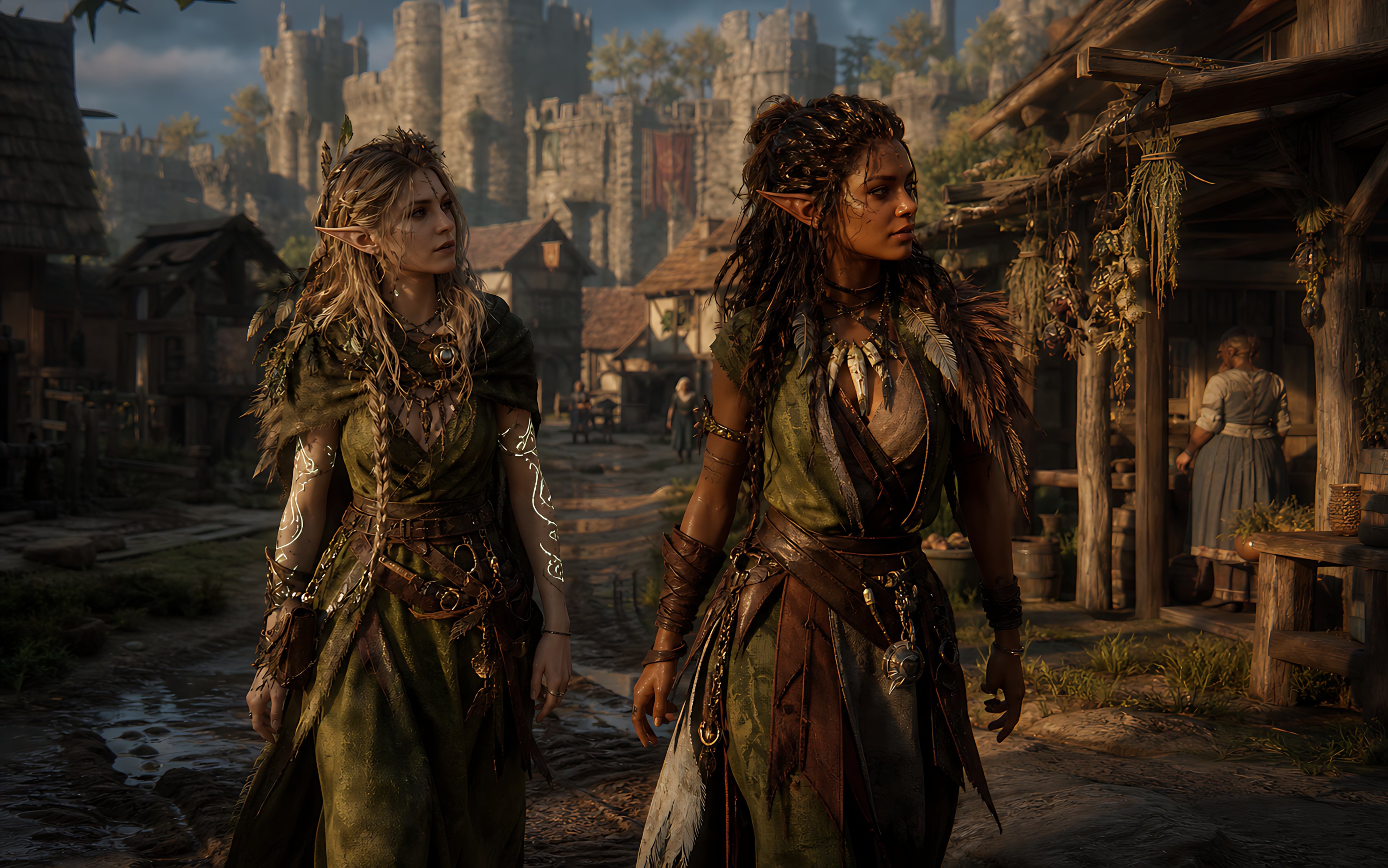
Cinematic dark-fantasy medieval street scene in
中世纪村庄双精灵冒险者
Create a cinematic dark-fantasy medieval street scene in ultra-realistic 3D game concept art style, widescreen 16:9. In the foreground, show two adult elven adventurers walking side by side toward the viewer through a muddy cobblestone village road. The left character is a pale-skinned elf woman with long messy {argument name="left character hair color" default="ash blonde"} braided hair, pointed ears, layered olive-green druid robes, leather belts, pouches, dangling metal charms, necklaces, torn fabric strips, leaf-and-feather details, and glowing white vine-like magical tattoos spiraling down both forearms. The right character is a darker-skinned elf woman with long thick {argument name="right character hair color" default="dark brown"} dreadlocked hair, pointed ears, a green-and-brown leather ranger outfit, fur shoulder mantle, feather ornaments, arm wraps, belts, chains, talismans, and a confident warrior posture. Both faces are intentionally hidden by plain opaque {argument name="face covering color" default="dark brown"} square censor blocks, centered over their faces. Set the background in a richly detailed medieval market village with timber-and-thatch houses, hanging bundles of dried herbs on the right-side shopfront, barrels, baskets, wooden stalls, distant townspeople, and a large stone castle with towers and battlements rising in the background. Use {argument name="lighting mood" default="warm late-afternoon golden sunlight"}, dramatic shadows, volumetric haze, shallow depth of field, realistic fabric and leather textures, high detail, moody fantasy atmosphere, cinematic composition, Unreal Engine quality, no text, no logos.Swap these placeholders
- argument name="face covering color" default="dark brown"
Replace each bracketed token with your own subject before generating — leaving them in place makes the model render the literal words.
Recreate it
Credit
Collected from freestylefly/awesome-gpt-image-2 · originally shared by @RamonVi25791296.